
Appearance
Payments and charges
Open Operations management → Opening Settings → Cashier Settings and choose the relevant page. After saving, check the amount at the POS or customer terminal with the main POS online.
Enable payment channels
Open Method of settlement and find a channel by name or code and set its status.
Cash and member payments do not require separate activation. A custom channel records a payment; it does not initiate an electronic transaction. To add one, enter its name and status, optionally upload an icon, then confirm.
CDCP/EDC, QRIS and Tap to Pay depend on your service provider's allocation and local integration. They currently serve selected providers in Indonesia. Obtain connection details from your provider. Tap to Pay also requires a supported NFC-enabled LuckyPOS terminal or kiosk.
Open the relevant channel's parameter panel and enter the provider-supplied details, then save:
| Channel | Details required |
|---|---|
| CDCP/EDC | Account username and password, client ID, API Key, payment-status query username and password |
| QRIS | Account username and password, device serial number and MQTT Topic |
These are payment credentials, separate from the back-office login. Check availability on the activated device. If the channel has not been allocated, ask the provider about activation first.
Tax and service charges
Open Taxes and charges for services. Decide whether item prices already include tax before adding rules. When they do, LuckyPOS does not add that item tax again or extract tax backwards from the price. Otherwise it adds tax according to the configured rule.
Create a tax rule with a name, calculation method, rate and status. Choose calculation on the consumption total or on tagged items; the latter also requires a tax label. Decide whether the service charge is taxable.
The consumption base covers the item portion of the order, including discounts, preparation options, add-ons and set meals. Service and extra charges are outside that base. Extra charges have their own options for inclusion in tax and service-charge calculations.
In the service-charge section, enable charging, enter the rate and decide whether it applies to takeaway. Save and check both dine-in and takeaway totals.
Extra charges
Open Surcharge. Create a named rule, choose its method, dining types and status, then complete the fields shown for that method.
| Method | Check before saving |
|---|---|
| Fixed amount | Amount charged |
| Percentage of consumption | Percentage and maximum charge |
| Per guest | Amount per guest and cap; tableless dine-in starts at one guest and staff can change it |
| Per item quantity | Amount per item and cap; a weighted item or set meal counts as one item, and returned items reduce the count |
| Manual entry | Entered at the POS; unavailable for customer self-ordering and payment on mobile or kiosks |
The threshold option means the charge is waived when consumption reaches the entered amount, including equality. It is not a minimum spend that starts the charge.
Each extra charge uses its configured basis. Choose whether to include it in tax or service-charge calculations. Multiple applicable extra charges are collected together.
Service charges, extras and tax follow their configured bases. Their processing or display order alone does not make one charge part of the next charge’s base. Check the inclusion options when reconciling a bill.
Bill rounding
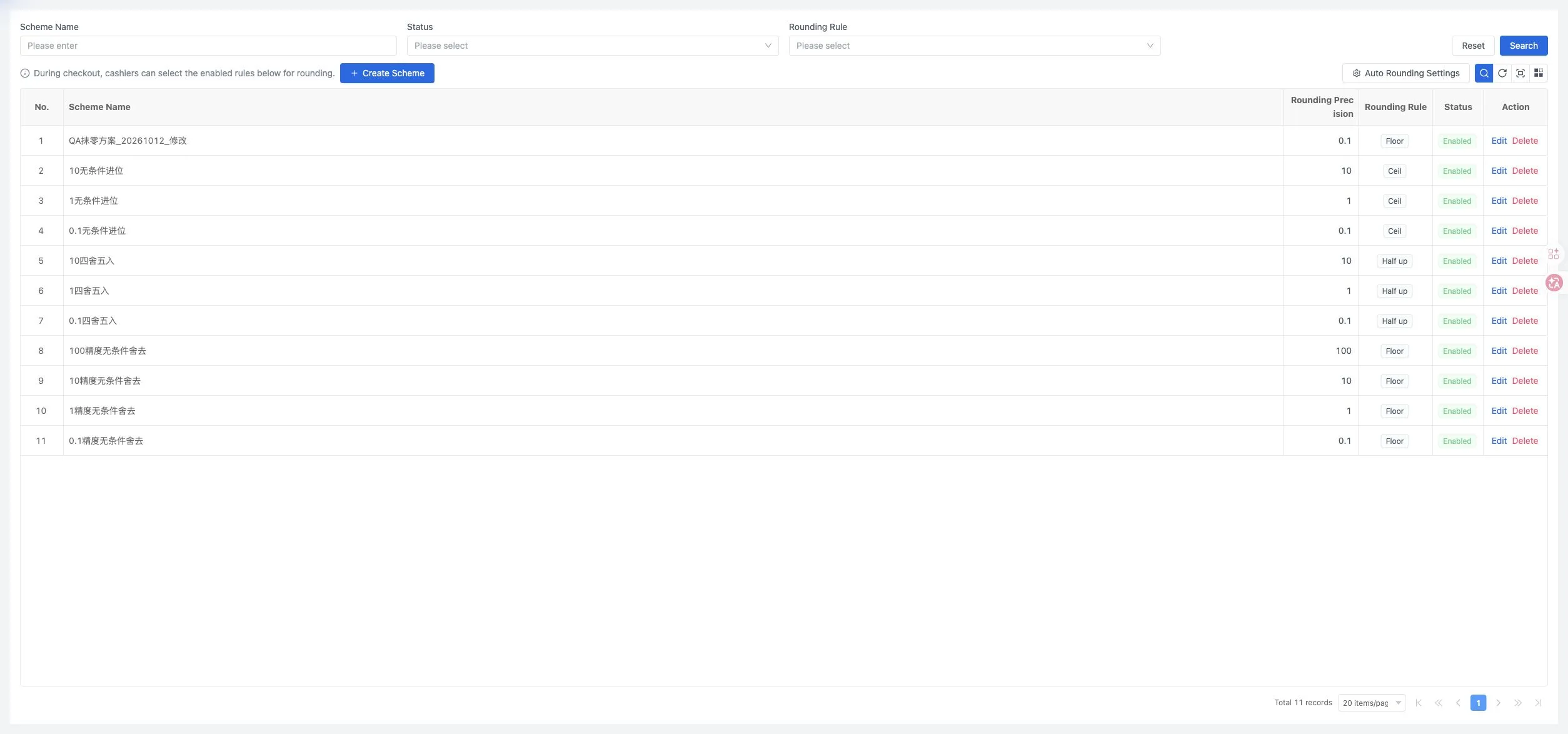
Open Rounding Rules, select Create Scheme, enter a name and choose a precision, rule and status. The rules include Floor, Half up and Ceil.
Rounding applies to the final amount due. At precision 1, an amount of 111.90 becomes 111 with Floor and 112 with Half up or Ceil. Check the actual checkout result for the store's full charge configuration.
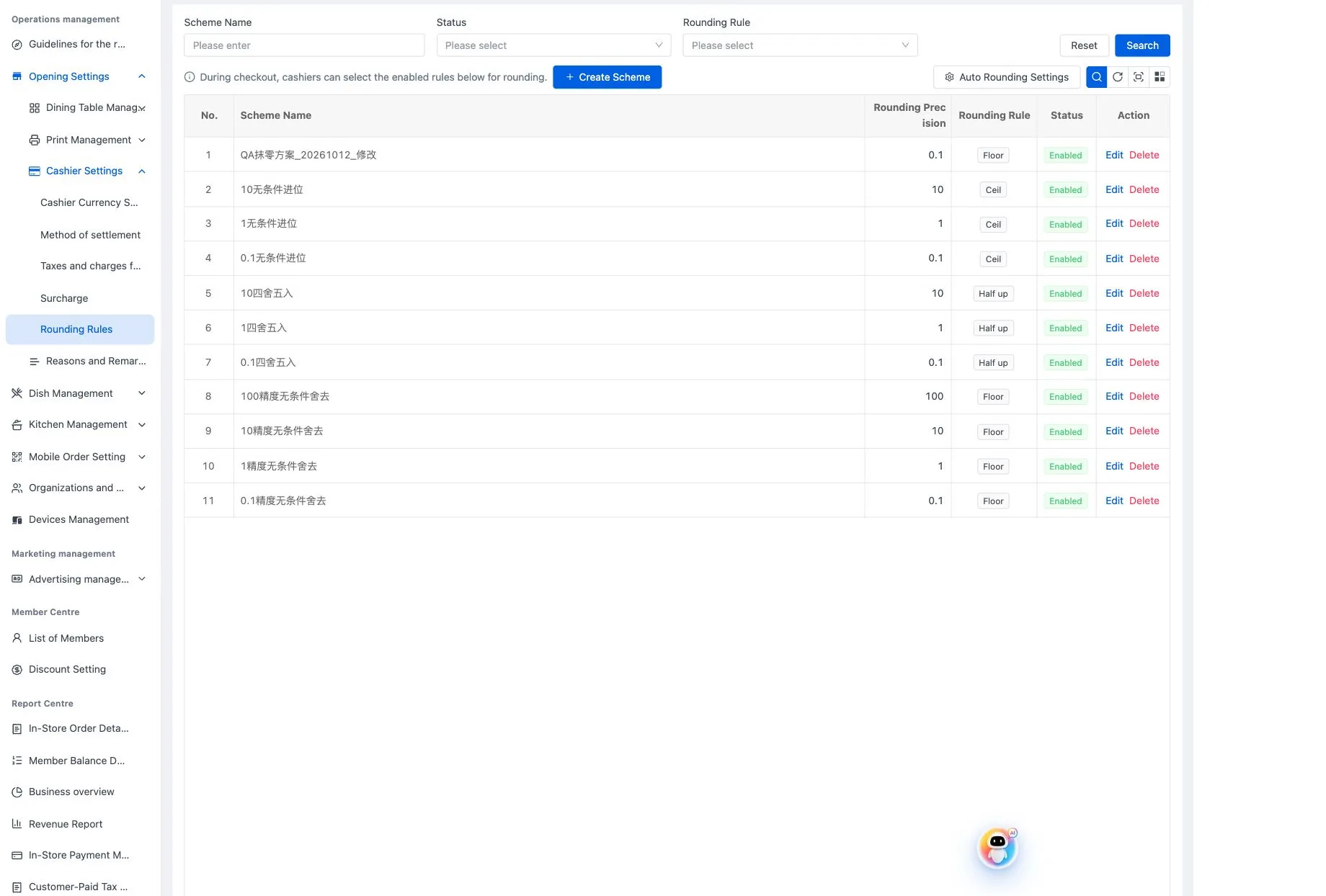
Use Auto Rounding Settings to enable automatic rounding and select a scheme. Mobile ordering and kiosks follow that scheme. A cashier at the POS can choose another enabled scheme.
Keep decimal-place settings separate from bill rounding. For discrepancies, open Order lookup and review the recorded tax, service charge, extras, rounding and amount due.