Pickup calling
Set up pickup calling, then find orders, call numbers and confirm pickup on the POS. See how to configure the CDS pickup screen and call numbers from KDS.
Watch on YouTube
Use POS when the front counter hands out orders. Find the pickup number, call the guest and confirm pickup after handing over the food. Stores that hand out orders at the kitchen counter can enable calling in the KDS serving module.
Set up pickup calling, then find orders, call numbers and confirm pickup on the POS. See how to configure the CDS pickup screen and call numbers from KDS.
Watch on YouTube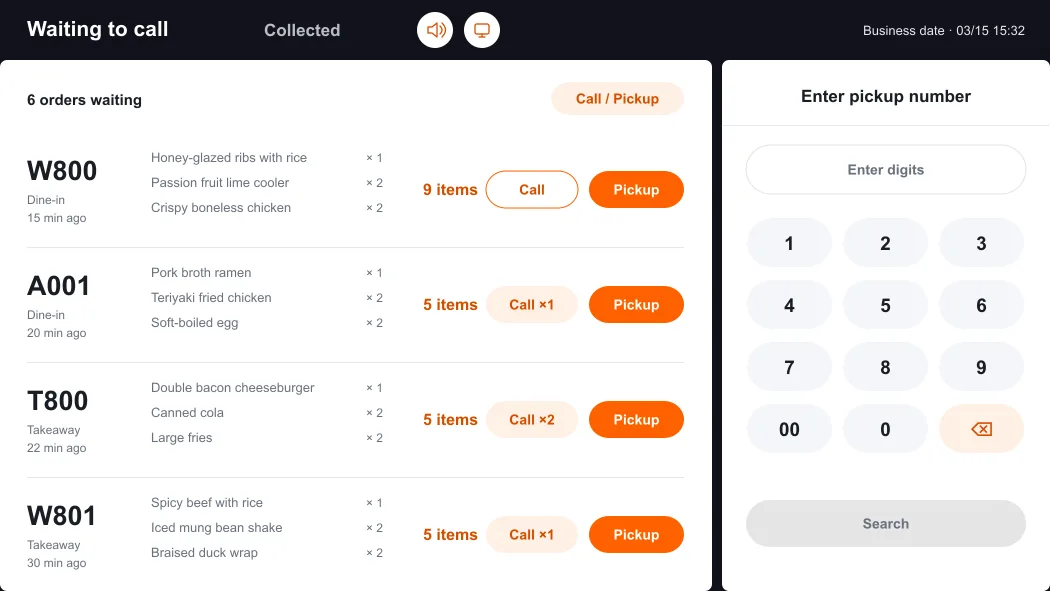
For announcements at the front counter, select the speaker icon at the top to open Pickup announcement settings. Turn on voice announcements, select a language and confirm. To add a guest display, use the screen icon next to the speaker. See Set up the CDS pickup screen.
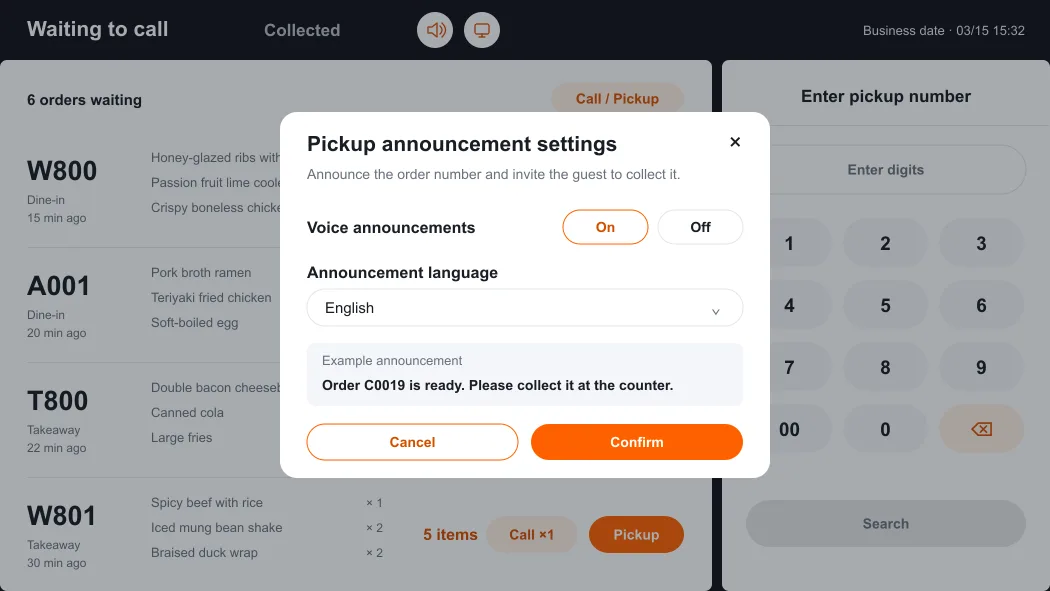
A store administrator can set order types, display range, automatic call triggers, timeout and voice repetitions under Operations management → Opening Settings → Callup Settings in the back office. If an order is missing, check the pickup number and Collected, then ask the administrator to check order types and the display range. If a call is silent, check that pickup announcements are on for the device that is meant to play them.