
Appearance
Reconcile a shift and view daily settlement
Open Handover. Check the employee, start time, current shift and unsettled-order notice. The shift total includes cashier and other takings, so it is not the cash physically present in the drawer.
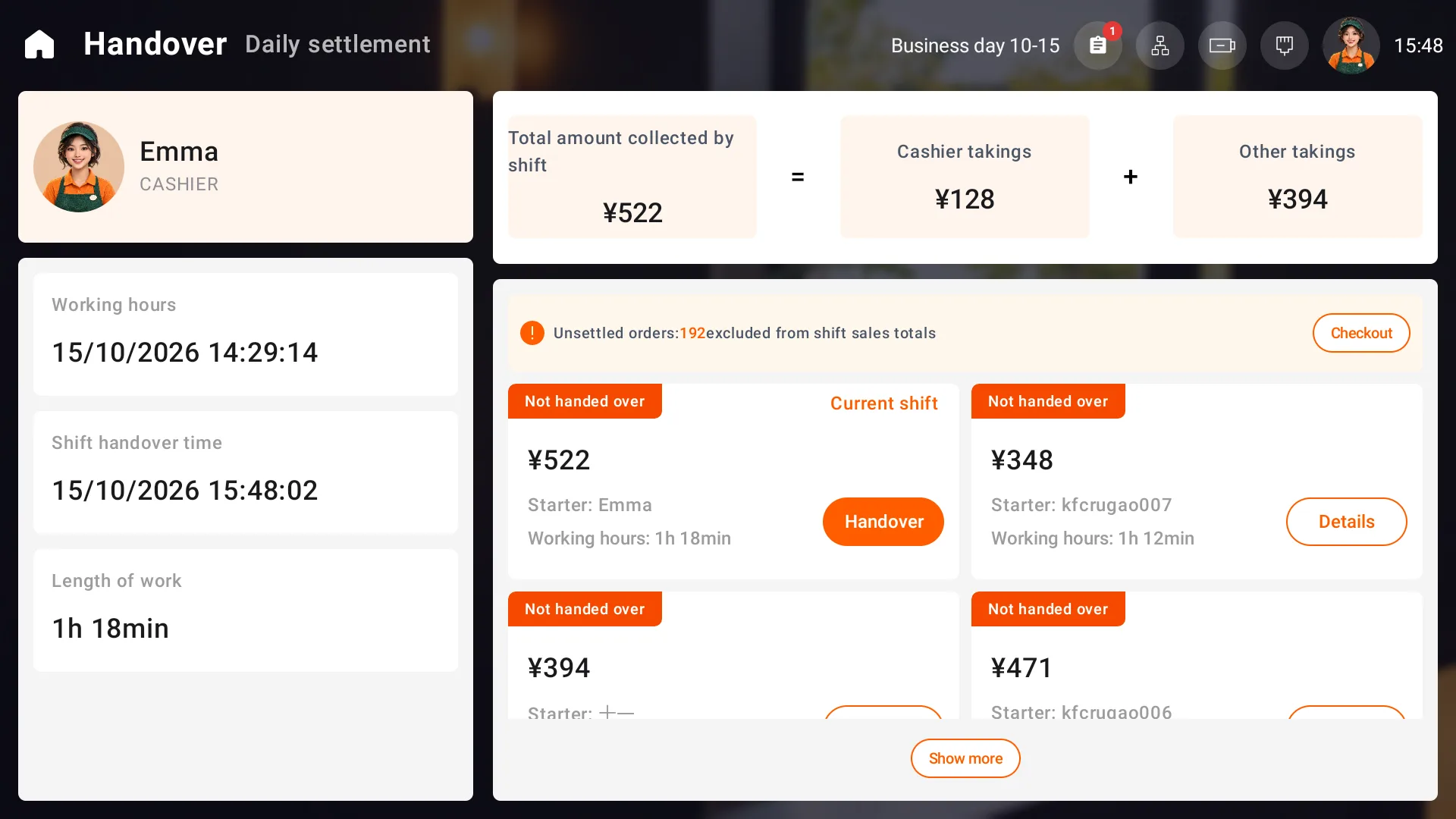
Hand over your shift
- Choose Handover on the current shift and check the reporting period and payment reconciliation.
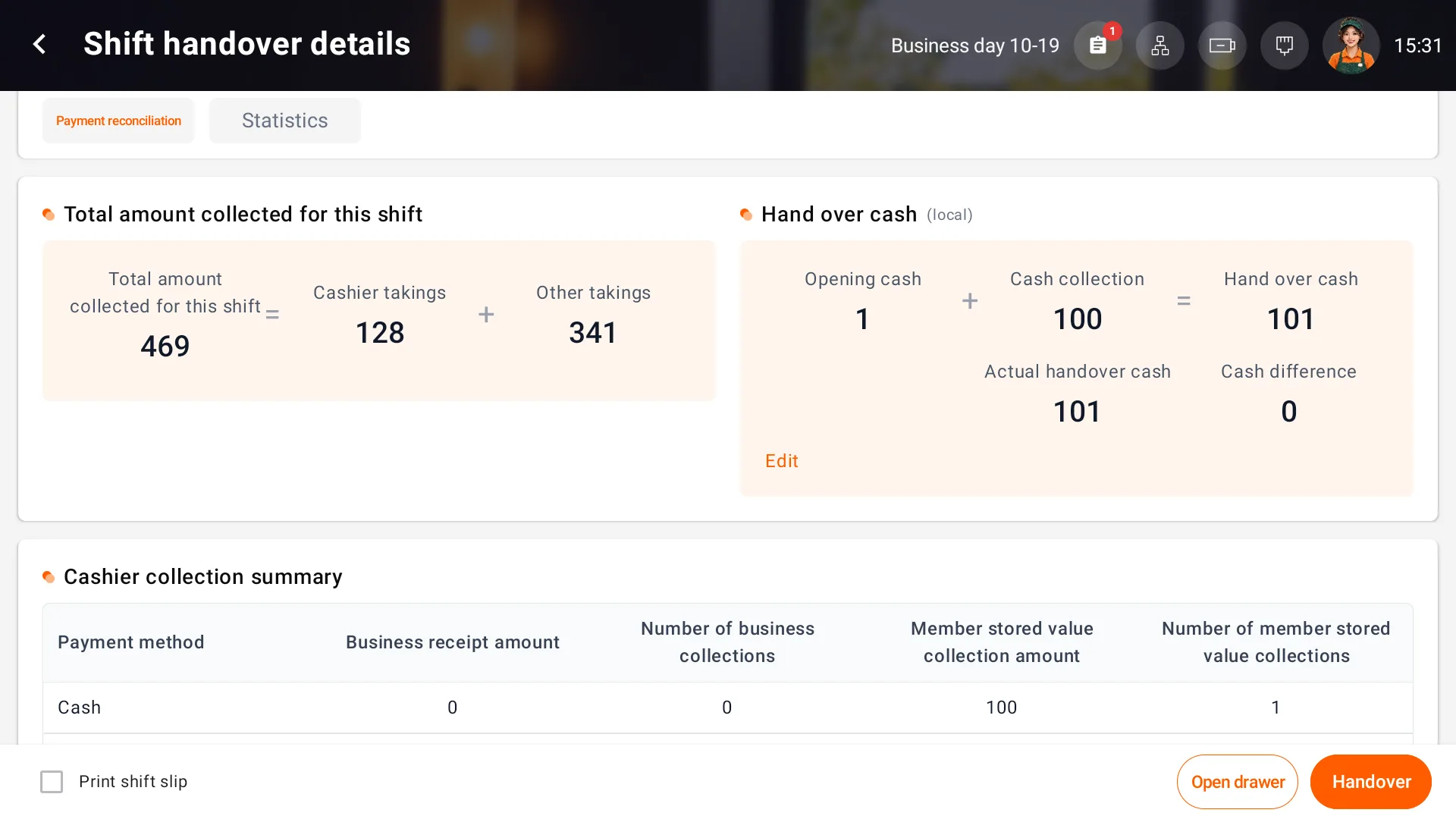
- Review cash due for this POS: opening float plus its cash receipts. Reconcile noncash and other receipts separately.
- Count the cash, enter the actual handover amount and check differences and unsettled orders.
- Choose whether to print and confirm the handover. Once complete, the next employee signs in with their own account.
View daily settlement
Open Daily settlement, check the business date, reporting period and unsettled orders, then inspect payment reconciliation, sales statistics and item sales.
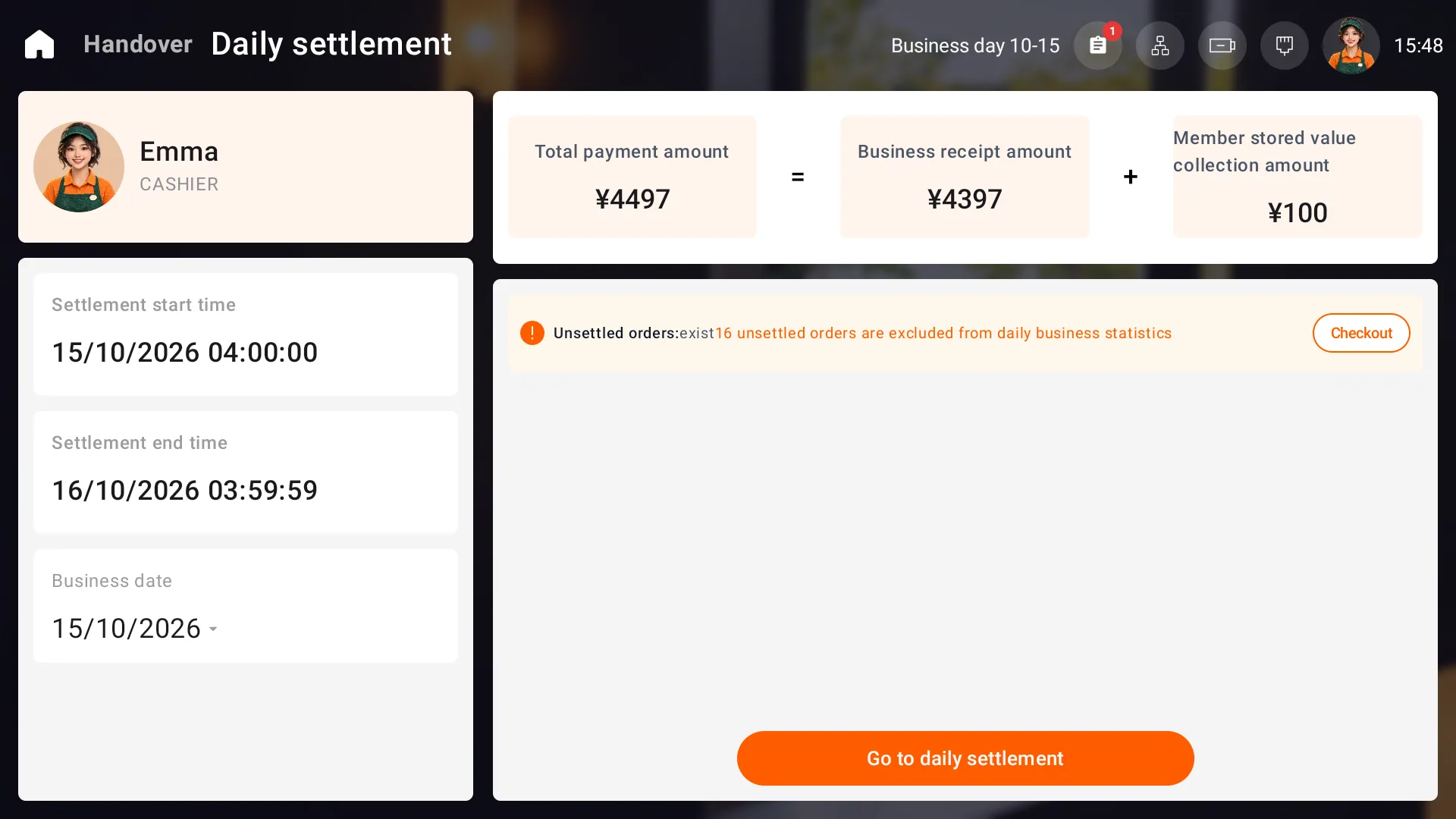
Payment reconciliation counts payments within the reporting period; sales statistics count only settled orders. Daily receipts separate business receipts from member top-ups. Check the current setting for whether net member-balance receipts are included.
Use the business date and reporting period configured for your store. The example shown runs from 04:00 to 03:59:59 the next day.