
Appearance
Manage members and top-ups
Open Member and search by phone number, member number or member name, or scan a code. Select the result and check the name, phone and member number before proceeding.
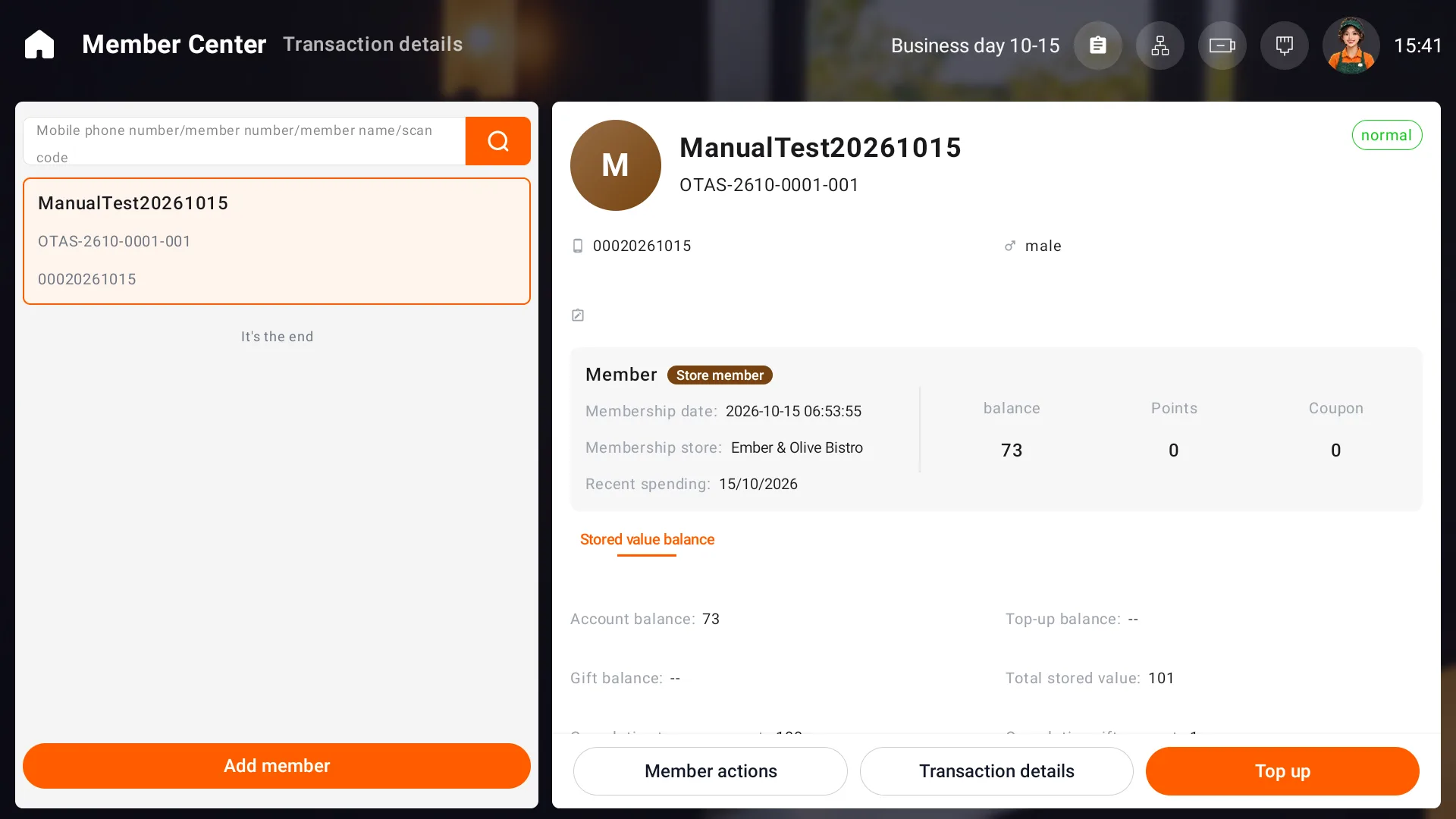
Create and maintain a profile
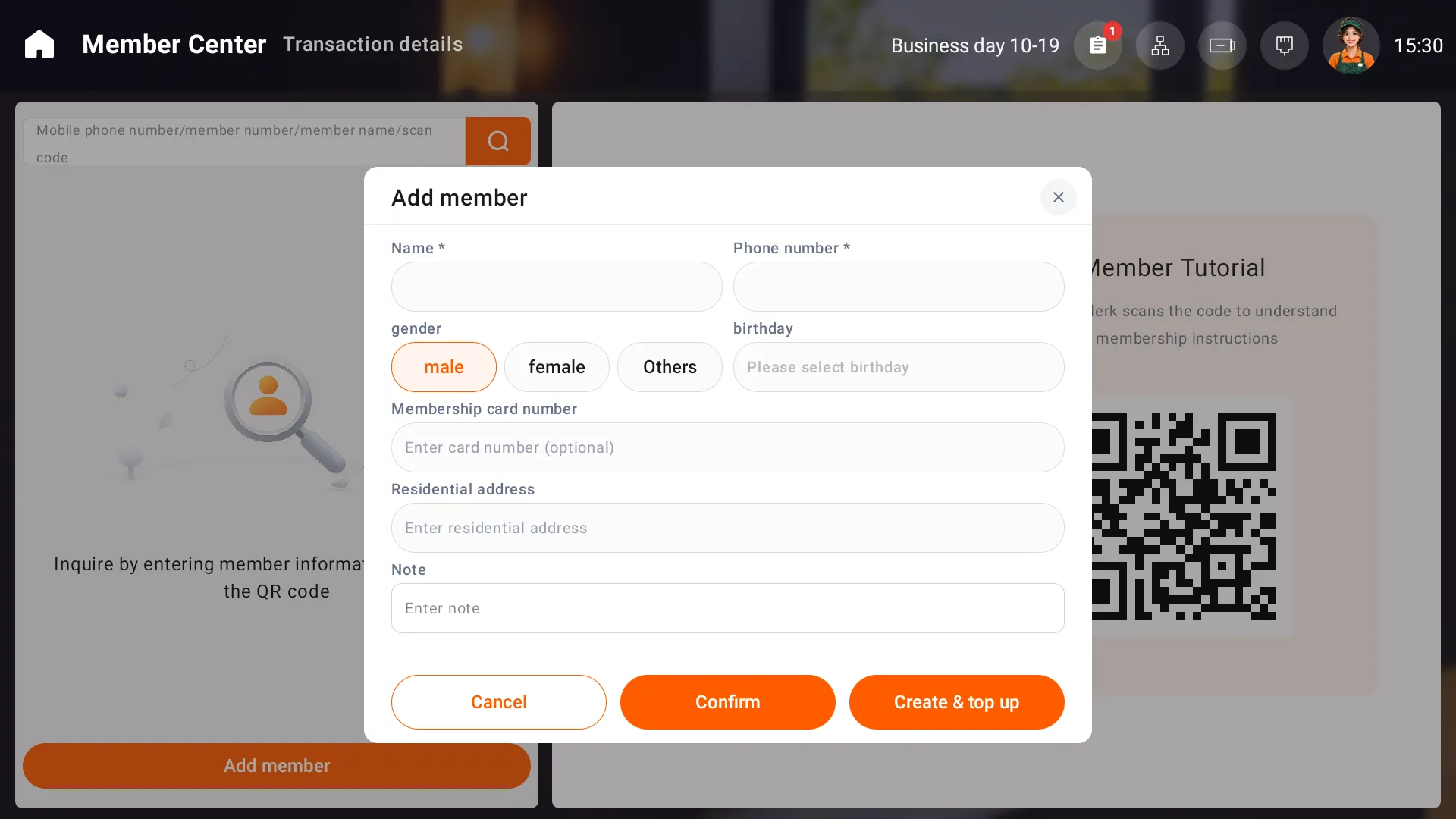
Choose Add member. Name and phone number are required; complete gender, birthday, member card number, address and remarks as needed, then confirm. The create-and-top-up action leads into a top-up. Optional email binding requires a verification code and can be closed when not needed.
Member actions include editing the profile, editing email and disabling membership. Check changes before saving, and follow store policy when disabling an account. Points and coupon counts do not establish that redemption is enabled.
Top up
- Select the correct member and choose Top up.
- Choose the store's applicable top-up offer and enter the customer's actual top-up amount.
- Choose the payment method used and check Top-up amount, Gift amount and Total received.
- Choose whether to print, submit, then check the result, account balance and transaction details.
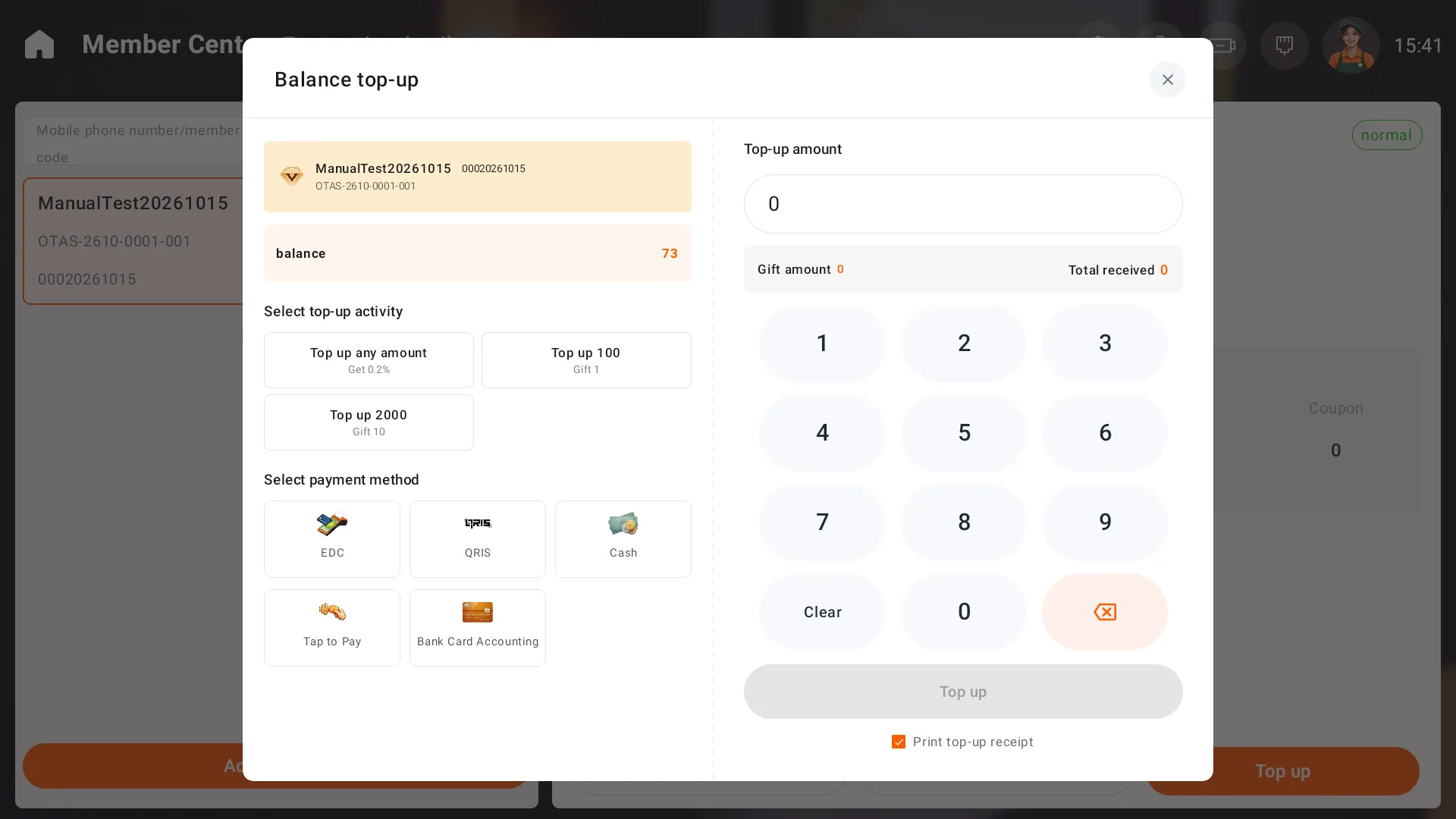
The selected offer determines the gift amount. Use the current available balance when checking funds; historical stored value shows cumulative top-ups.
Reconcile transactions
Open Transaction details and filter by date, member and transaction type. Review paid and gift balance changes, payment method and operator. If a balance field shows --, check the account total and transaction details.
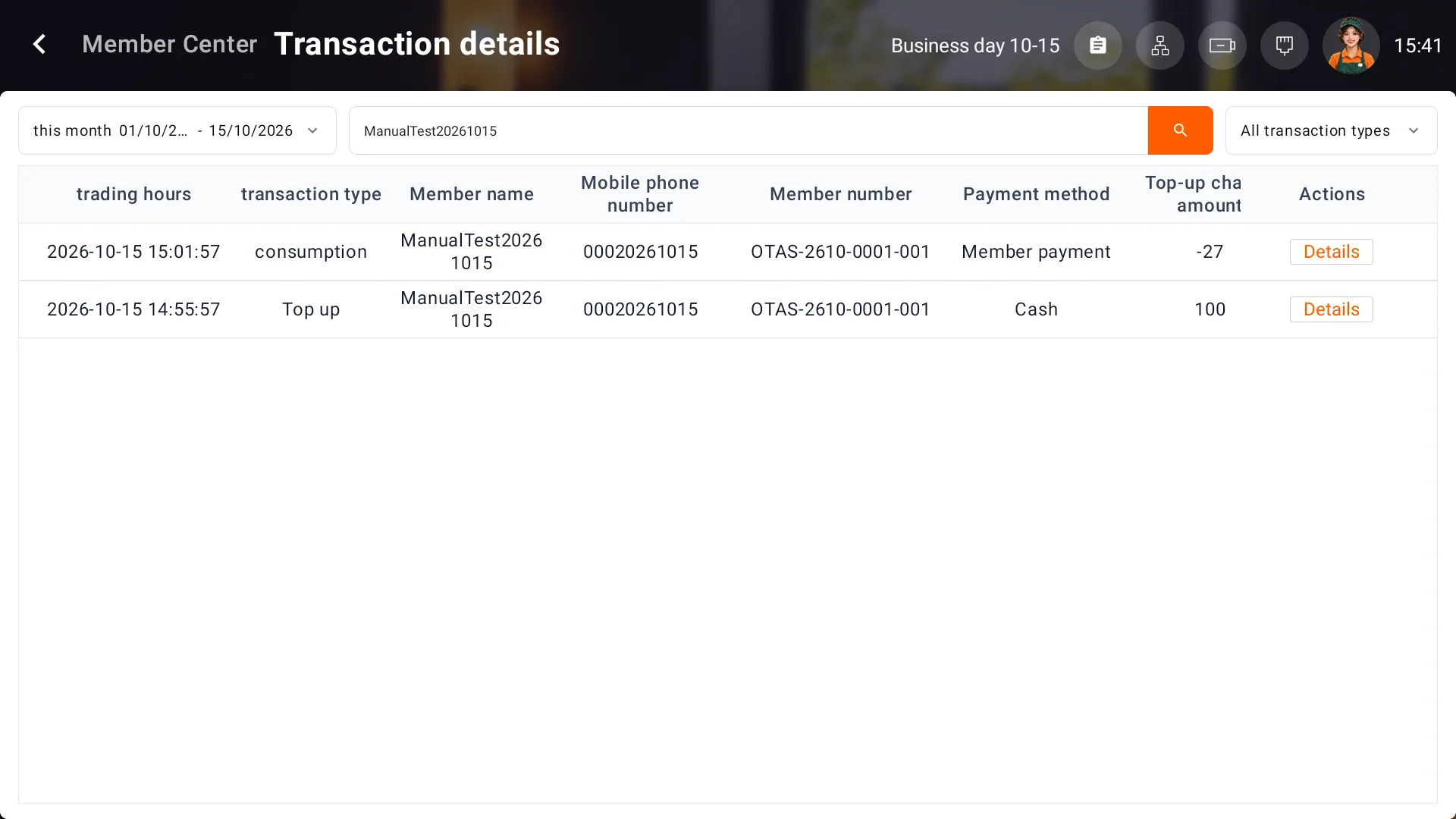
For an incorrect top-up or balance, keep the member number and transaction records for the responsible person. See Orders and refunds for order refunds.