
Appearance
Work roles and stations
Work roles determine which stages appear on this device. Station binding determines which items it receives. Use the existing configuration if the device is already set up for its kitchen tasks. When those tasks change, open Settings → KDS from the top right of the board to update the relevant settings.
Select work roles
Open KDS local working status, select the roles this device handles, then Save. You can select more than one role.
| On-screen role | Kitchen task |
|---|---|
| Prep | Prepare ingredients and items for cooking |
| make | Cook items |
| Pass the dishes | Pass finished items for serving |
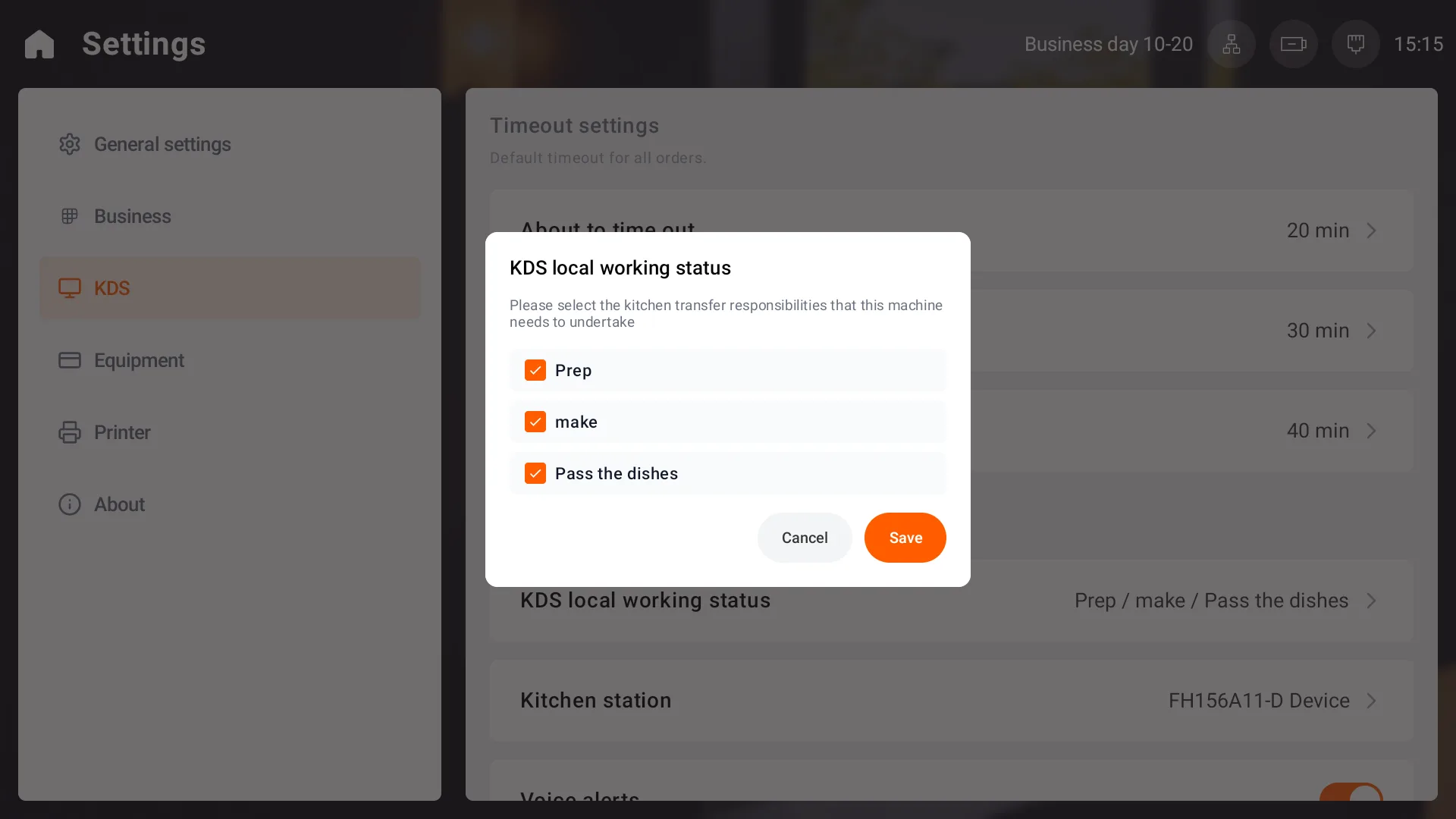
A stage and its completed-record category are hidden when its role is not selected. Select multiple roles when several kitchen tasks share one device.
Bind receiving stations
Open KDS station binding and choose All stations or Selected stations. For selected stations, select at least one station, then Save.
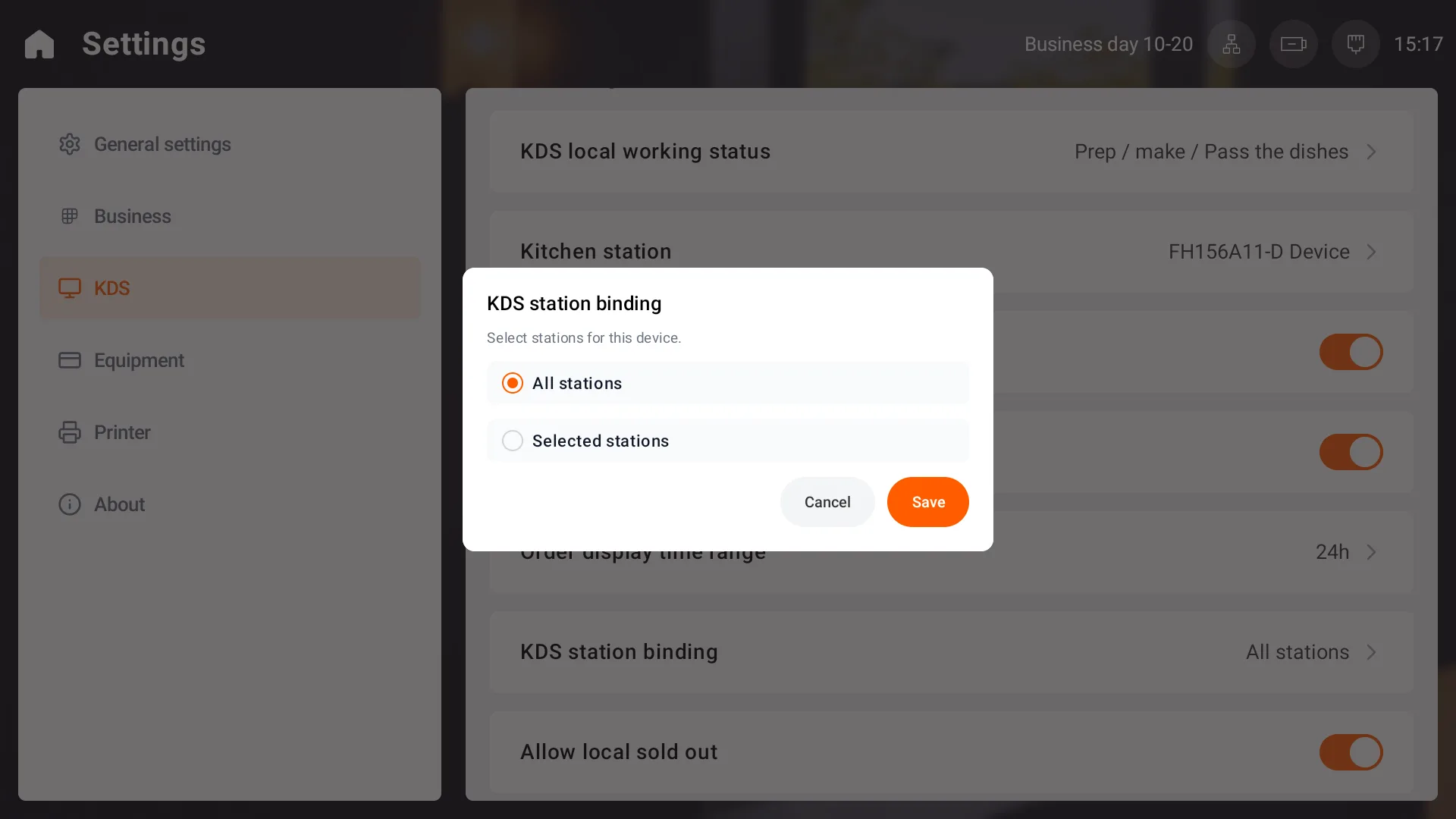
Items outside the selected stations do not appear in this device's work lists. If an item is missing, check its station assignment and the device's receiving stations.
Edit the display name
Use Kitchen station on the same settings page to edit the display name, then confirm. This is separate from KDS station binding. Check the binding itself to confirm which items the device receives.