
Appearance
Take payment and finish checkout
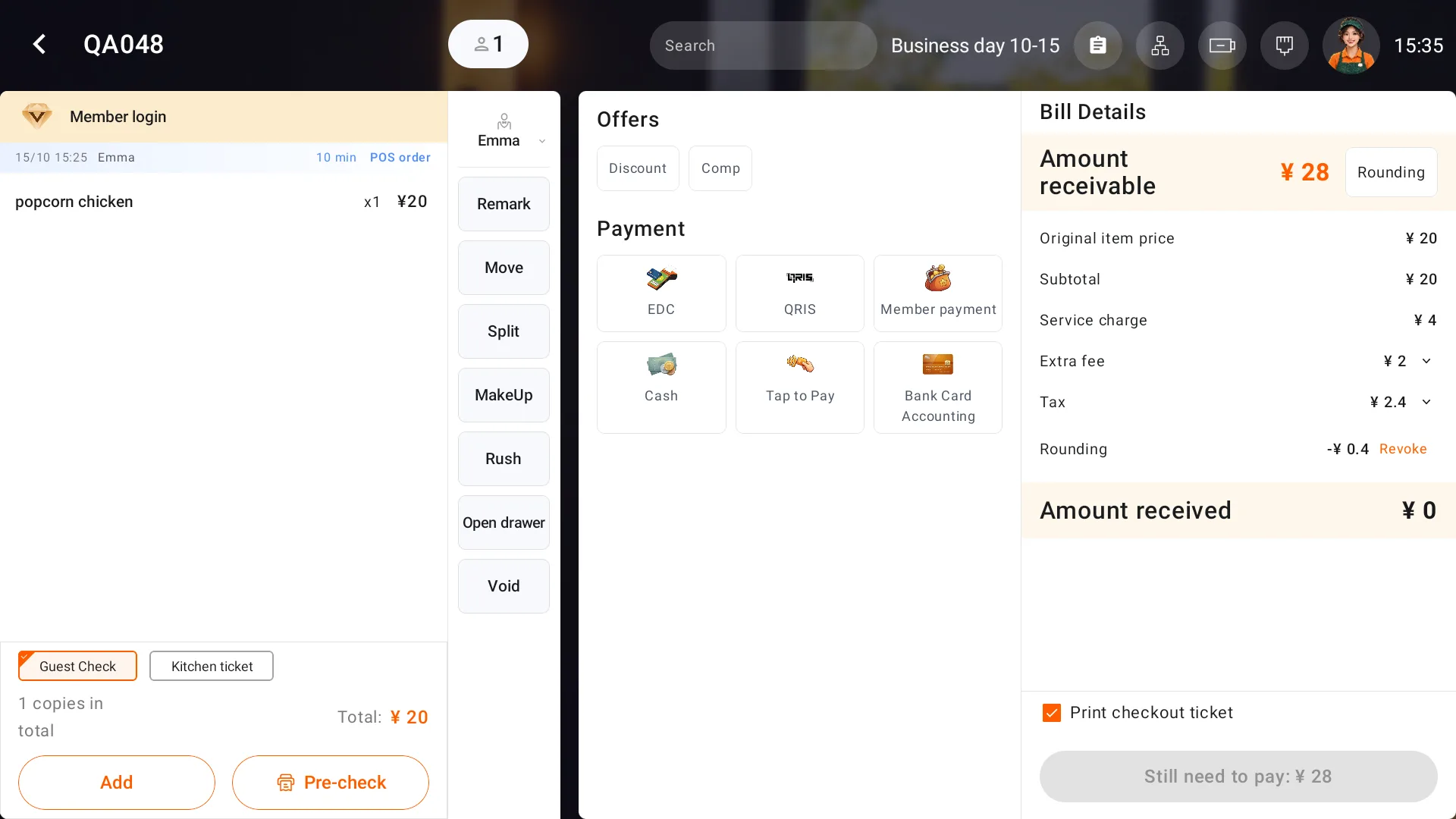
Check Amount receivable, Amount received and the remaining amount before taking payment. Service charges, extra fees, tax and rounding depend on the store's settings. Expand charges to check their names.
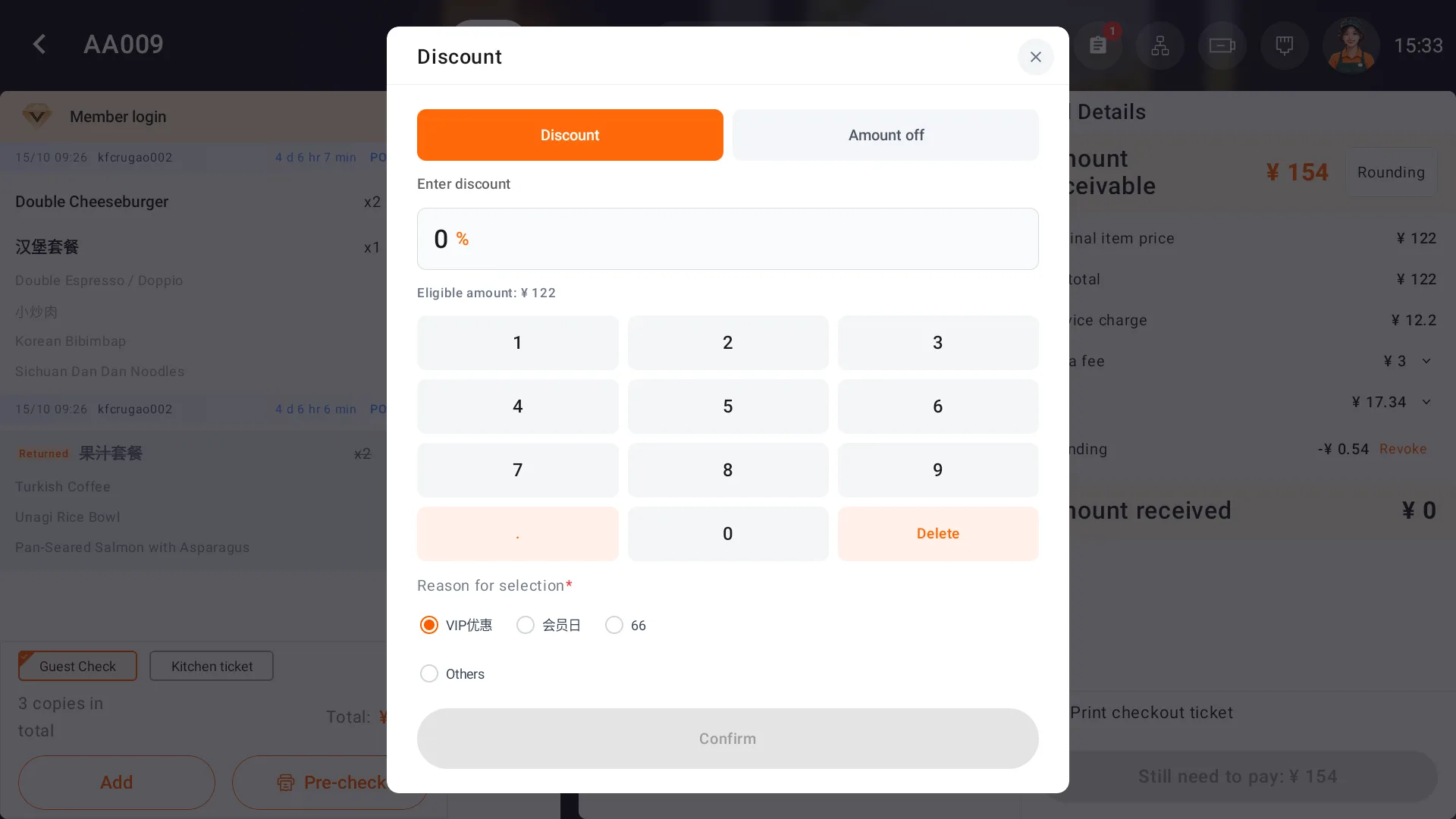
Apply a discount
Open Discount, obtain supervisor approval if requested, and enter the discount or reduction and its reason. Check the saved bill. Entering 10% subtracts 10% of the eligible amount. For an eligible amount of 29, the discount is 2.9 and the subtotal becomes 26.1.
Cash and partial payments
- Open Cash. The form starts with the remaining amount. Clear it and enter the cash actually received for this payment if different.
- Select Collection, the current cash collection button, and check the payment record and amount still due.
- Collect any remaining payment. If cash exceeds the bill, check the change and complete checkout through the change form.
- When fully paid without change, use the checkout completion action. Verify that the order is settled in Order. A payment success message alone does not finish the order.
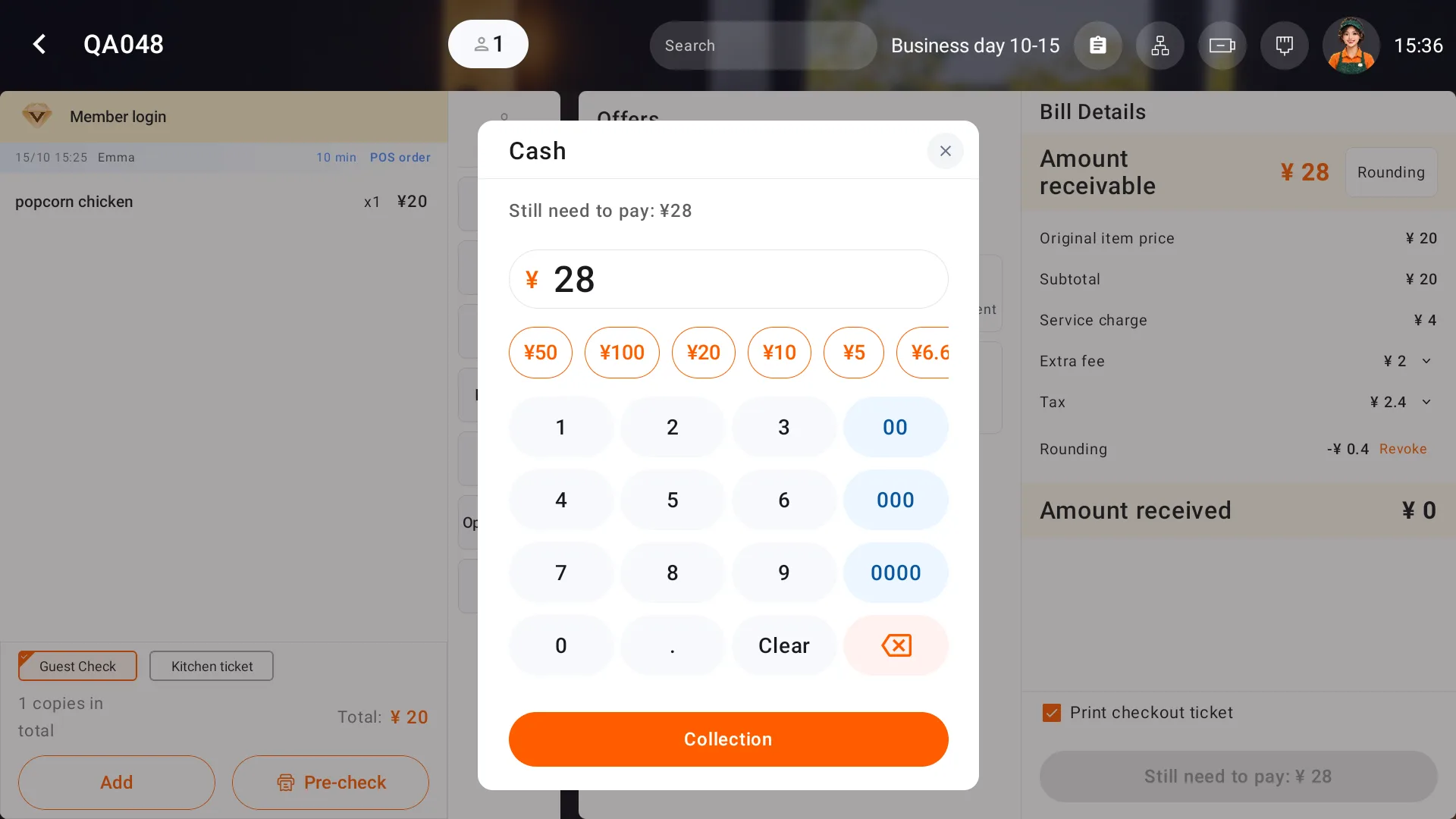
For partial payments, enter only the cash received at that step and collect the remaining amount shown on the bill. Net cash retained is total cash received minus change.
Member and other payments
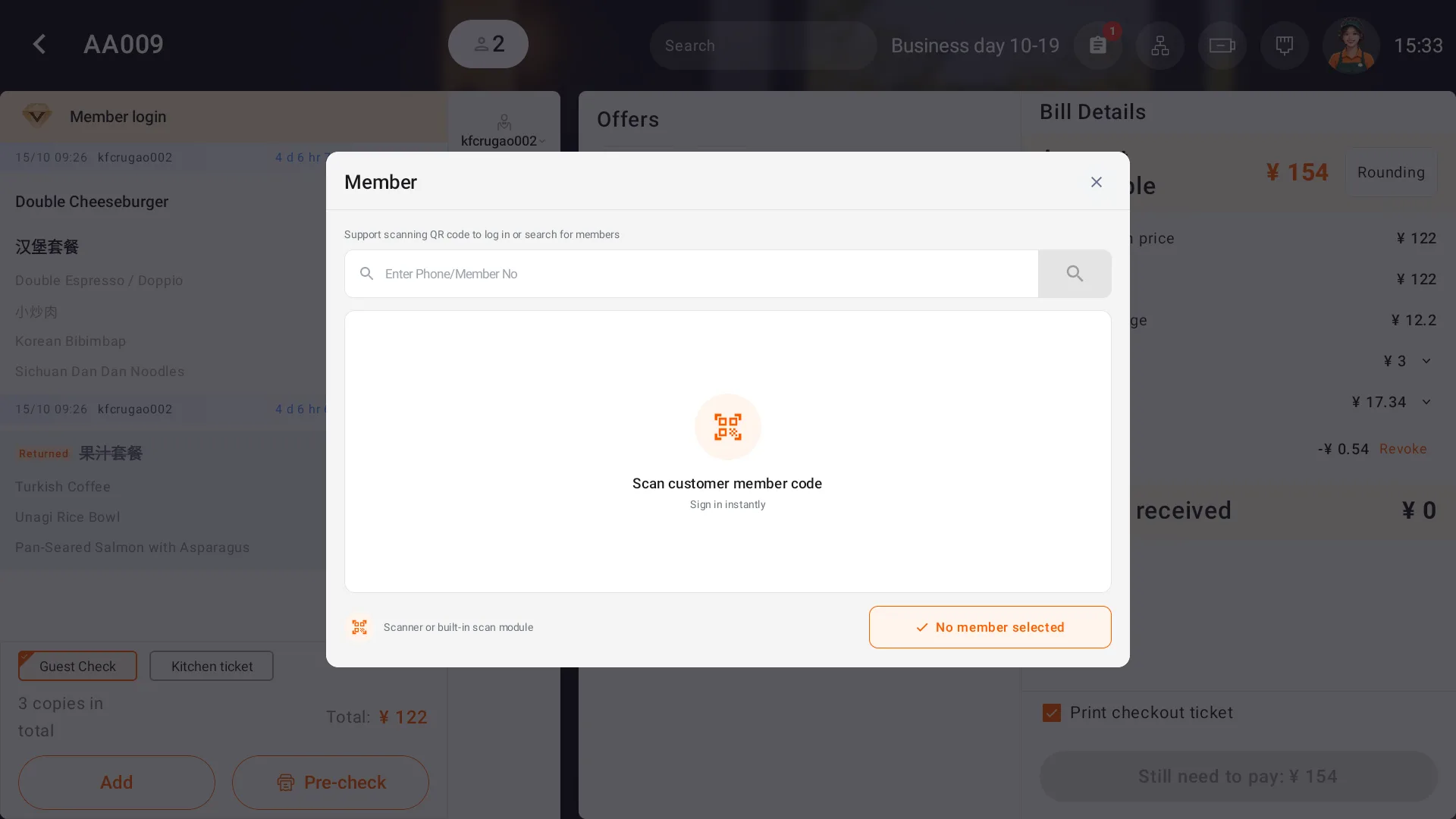
Use Member login to select the correct member. In Member payment, check the available balance and amount, then pay, check the balance transaction and finish checkout. Gift balance is used before paid balance.
Use EDC, QRIS and Tap to Pay with the channels and terminals activated by your service provider. Bank Card Accounting records an offline payment; confirm that the customer has paid before recording it. Check payment records if the result is unclear.