
Appearance
Enable KDS and connect to the primary POS
Use KDS to receive kitchen orders, read item requirements and update preparation progress.
Connect to the store network
Connect the primary POS to power, turn it on and sign in to the POS system. During service, keep the device on and the POS system running. Connect KDS and the primary POS to the same store local network using Ethernet or Wi-Fi. Ethernet is recommended for devices that stay in a fixed position.
First startup
When you turn on the device for the first time, follow the onscreen prompts to choose a language and select KDS as the device type. If your service provider has already configured the device, turn it on and open KDS to start using it.
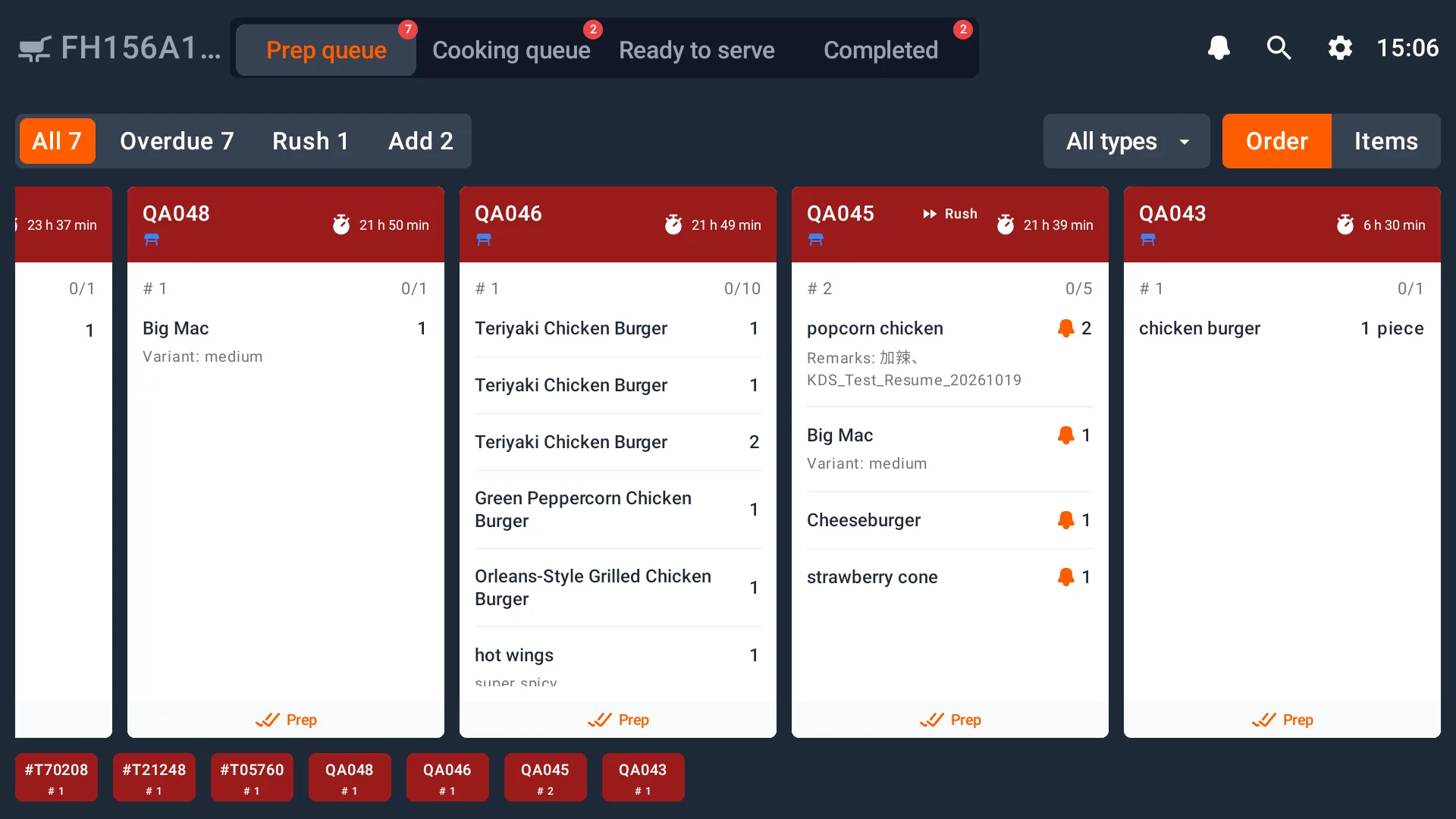
Before processing items, check that the device's work roles and receiving stations match its tasks in your kitchen. To make changes, see Work roles and stations.
If KDS keeps connecting to the primary POS
Check the primary POS power connection. Make sure the device is on and signed in to the POS system, then check that KDS and the primary POS are connected to the same store network. After reconnecting, find the order and check each item's stage and remaining quantity before continuing.
If an order is missing, also check that the cashier sent it successfully and that the station, filters and display time range include it. See Settings and problem checks.