
Appearance
Dining Areas & Tables
Skip table setup if the store only takes orders without a table or takeaway orders.
Prepare dining tables
- Open Operations management → Opening Settings → Dining Table Management → Table area and create dining areas.
- Open Dining Table Specifications and create table types with their names and standard seating capacities.
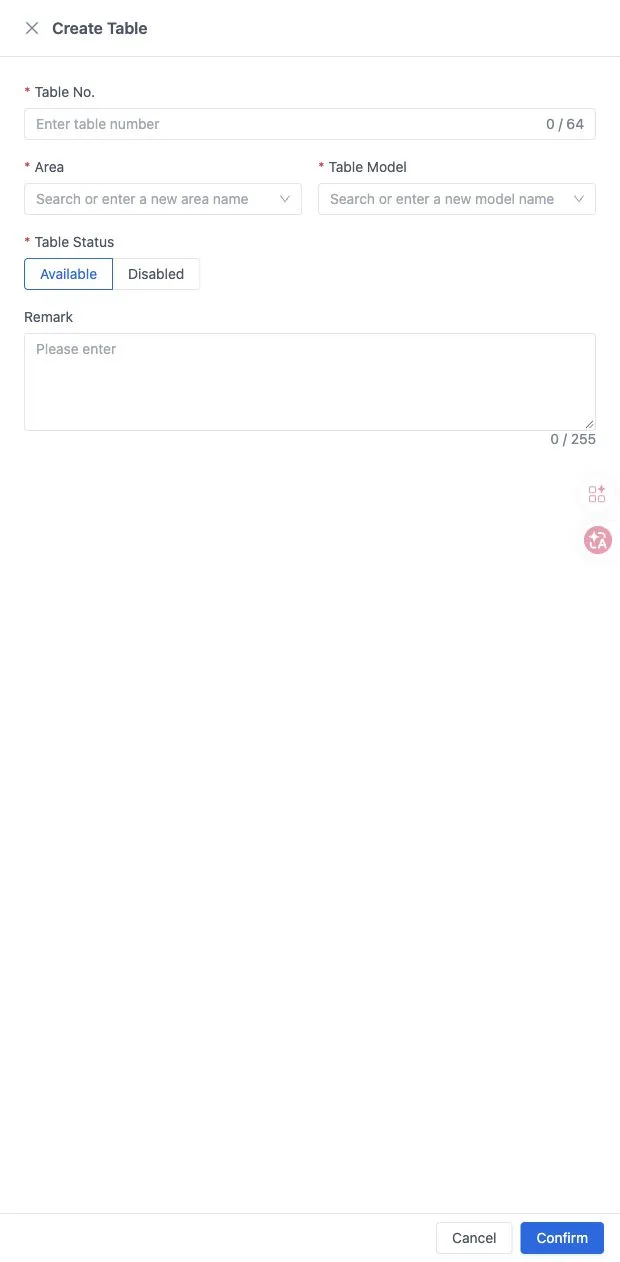
- Open Dining Table Management and add tables with a table number, area, type and status. Use bulk creation when needed.
- Check areas and table numbers on the POS.
QR codes and receipt headers
For table QR ordering, open a table's More → QR code, check the table number and download the card. Place each card on the matching table. A table QR code and the store-wide quick-order code serve different workflows.
Open Operations management → Opening Settings → Print Management → Receipt Header Settings and complete the store, company and tax details. Printer connections and copy counts are configured on the POS. Print a customer slip to check the header.
See Tables and receipts and Self-service ordering.
Products & Menu · Quick Setup Guide · Payments, Taxes & Fees