Appearance
Store Basics
Sign in to the store back office. Set the store details and currency before entering prices.
Store details and business days
- Open Operations management → Organizations and Accounts → Store Profiles and select Edit Store Information.
- Check the store name, contact details, location and address. Select the store's time zone and opening hours.
- Save and check the profile. For overnight trading, select Change Business Cutoff Time to set the business-day boundary separately and review the effective periods shown.
Opening hours control when the store trades. The settlement boundary determines business days in reports. A boundary change takes effect from the next business day and does not reassign existing orders.
Checkout currency
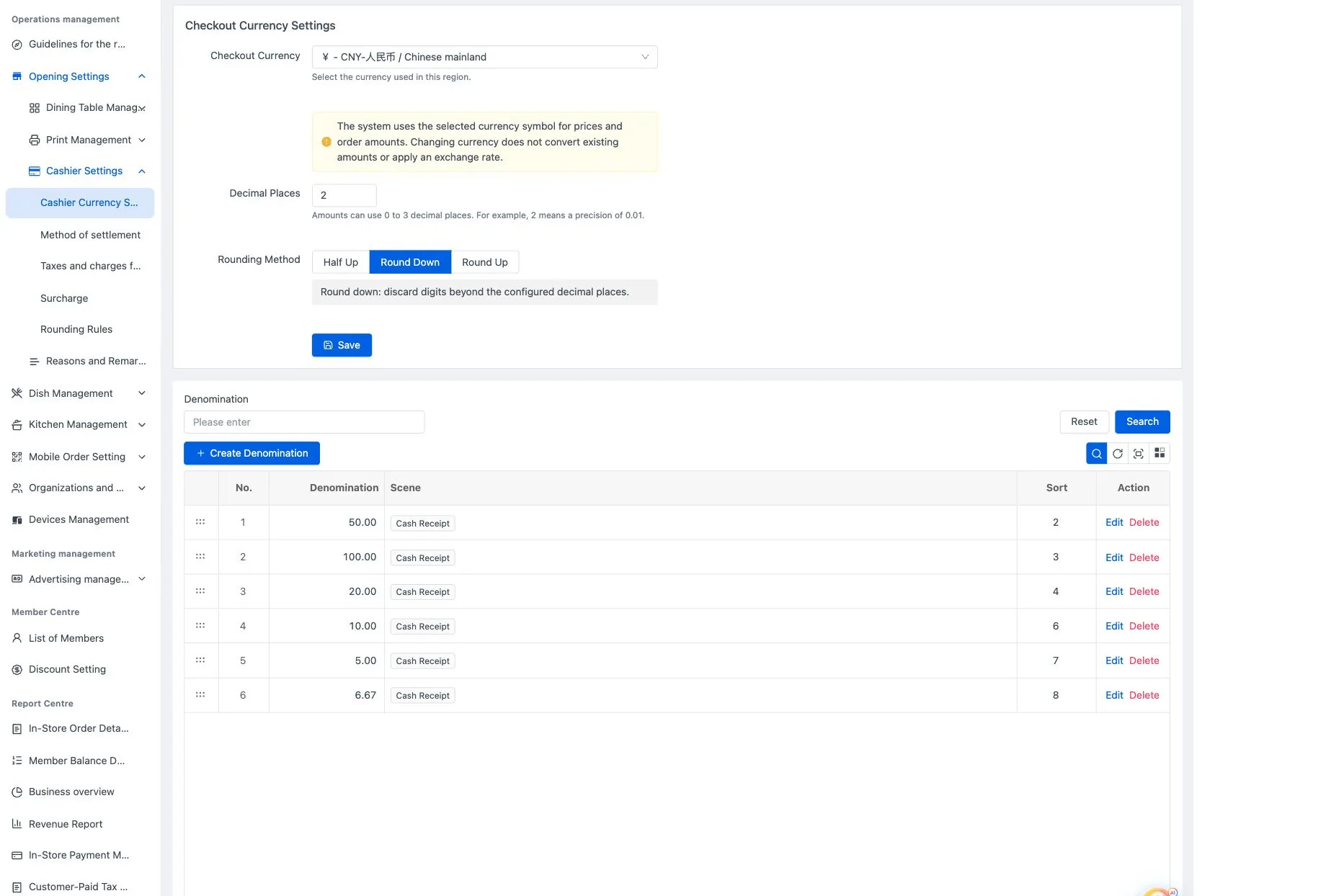
Open Operations management → Opening Settings → Cashier Settings → Cashier Currency Settings. Select the currency, decimal places and rounding method, then save.
Choose the currency before entering prices
Changing currency does not convert existing amounts or apply an exchange rate. Decimal display and final bill rounding are separate settings.
See Store settings for the full procedure.