Appearance
Products & Menu
Open Operations management → Dish Management. Prepare shared item data before adding items and set meals.
Prepare the catalogue
- Open Dish Categories, create first-level and second-level categories and arrange their order.
- Open Dish Properties and add the units, sizes, preparations and extras the store needs.
- Prepare tax tags and kitchen stations where required.
Add and check items
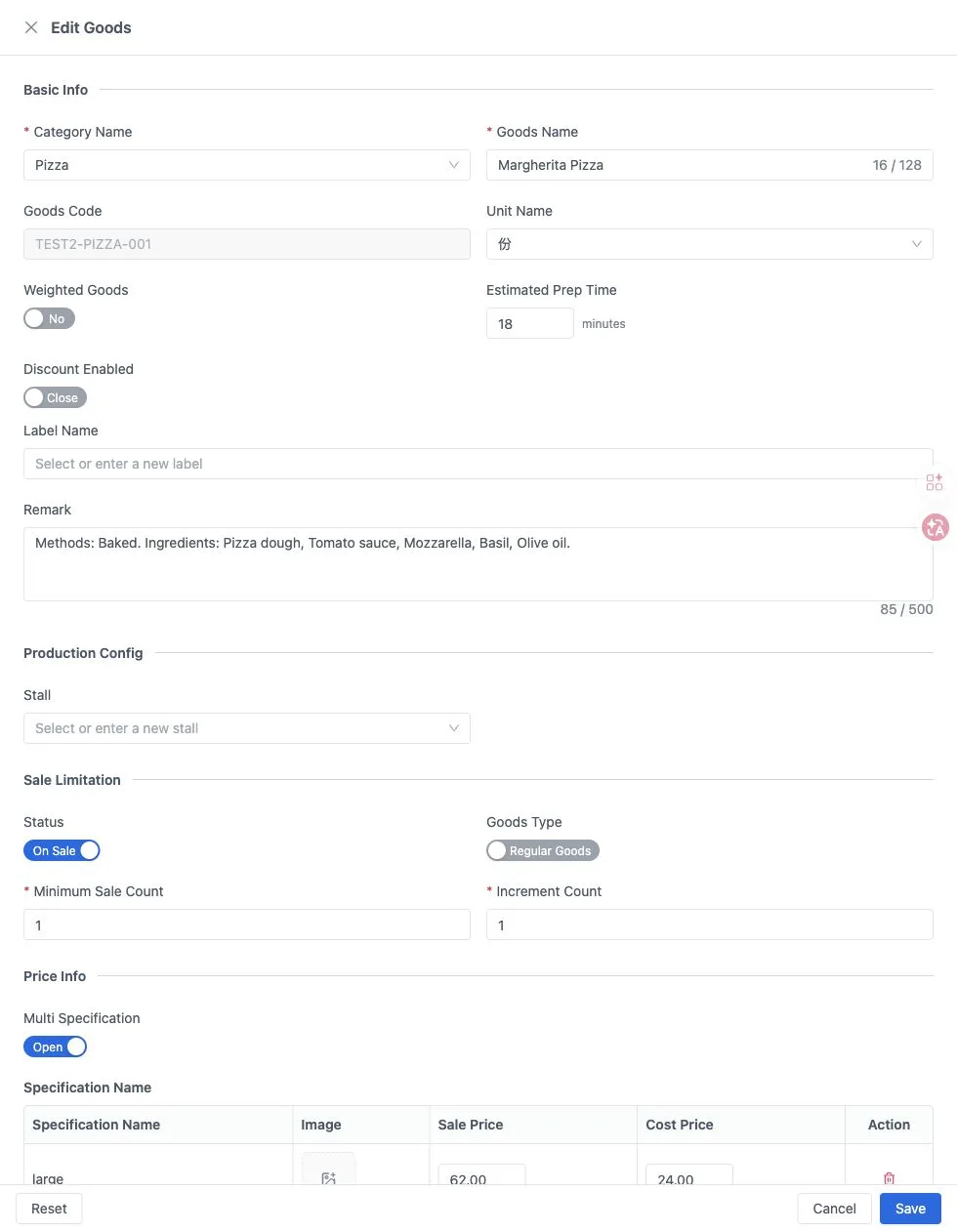
- Open Dish Records and select Create Goods. Select the category and enter the name, unit, price and availability.
- For multiple sizes, enable Multi Specification and enter each selling price. Link the required preparations and extras.
- Save, then check the item, price, required choices and extra quantity limits on the POS.
For a larger catalogue, download the current import template and retain its column names, order and worksheet structure. Link sizes, preparations and extras separately after importing. Standard set meals currently use single-variant items with fixed contents.
See Items and set meals for the import fields and detailed steps.