Appearance
2025-10-20 Version Upgrade Instructions
New feature update
Store management function upgrade
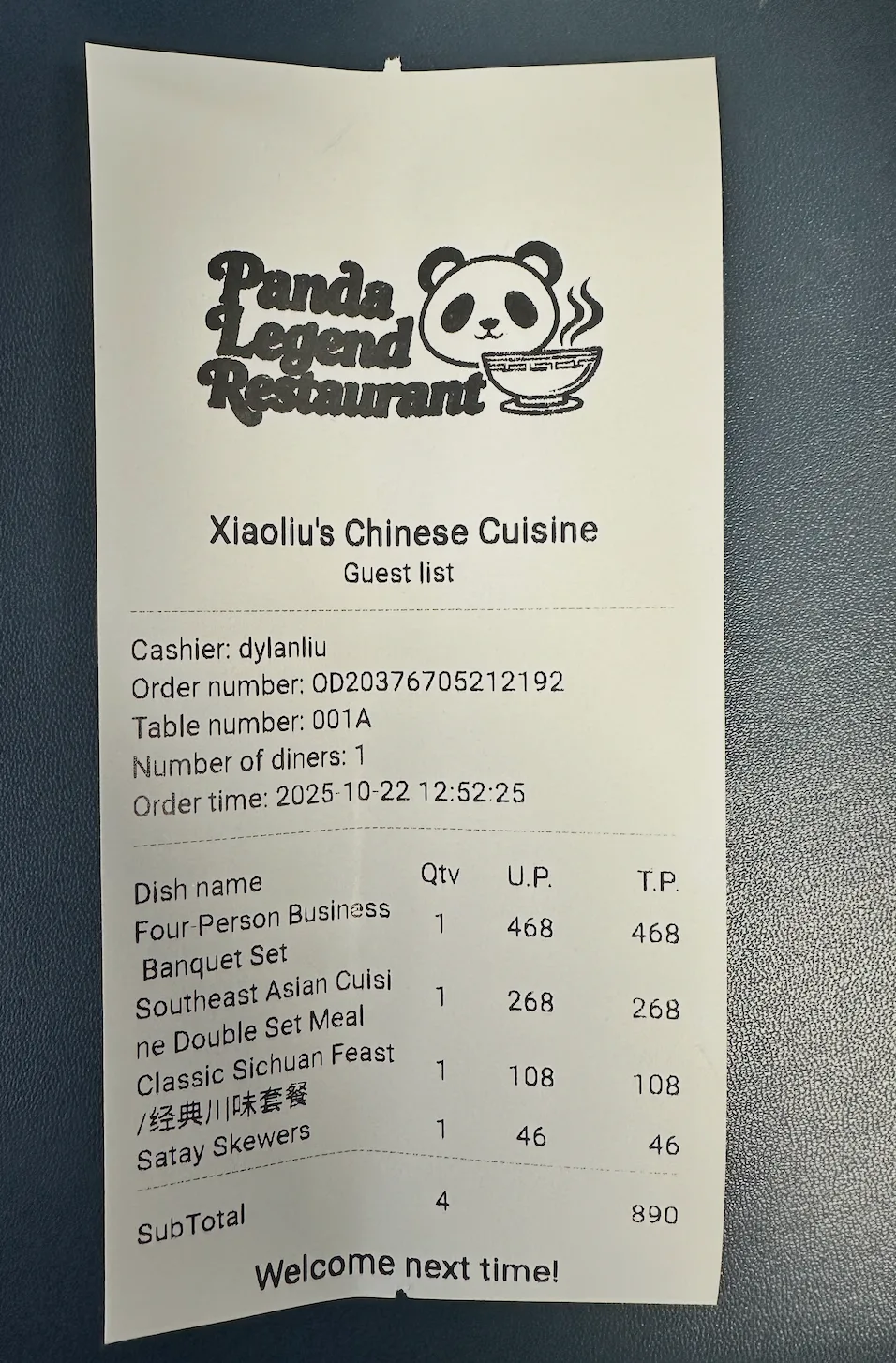
- Personalized Settings for Billing Documents: In the "Basic Store Information" settings of the Store Management Platform, it supports adding a dedicated logo to billing documents.
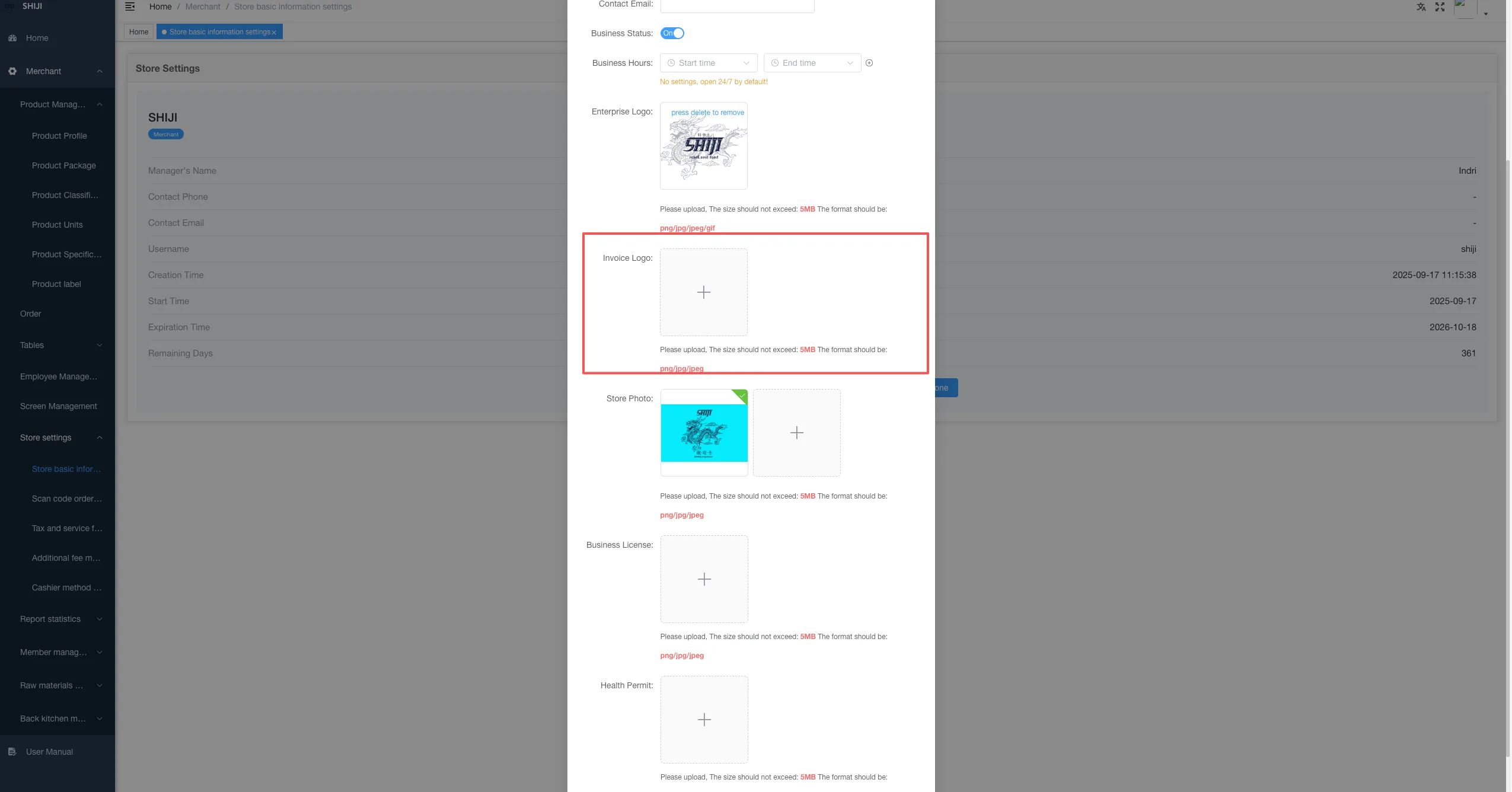
Precautions for uploading logo images:
Please ensure that the logo design is simple and avoid using excessive overlapping colors.
Avoid gradient and shadow effects in the design, as the printer only supports black-and-white printing.
Ensure that the logo remains clear, with good contrast and readability even after being converted to black and white format.
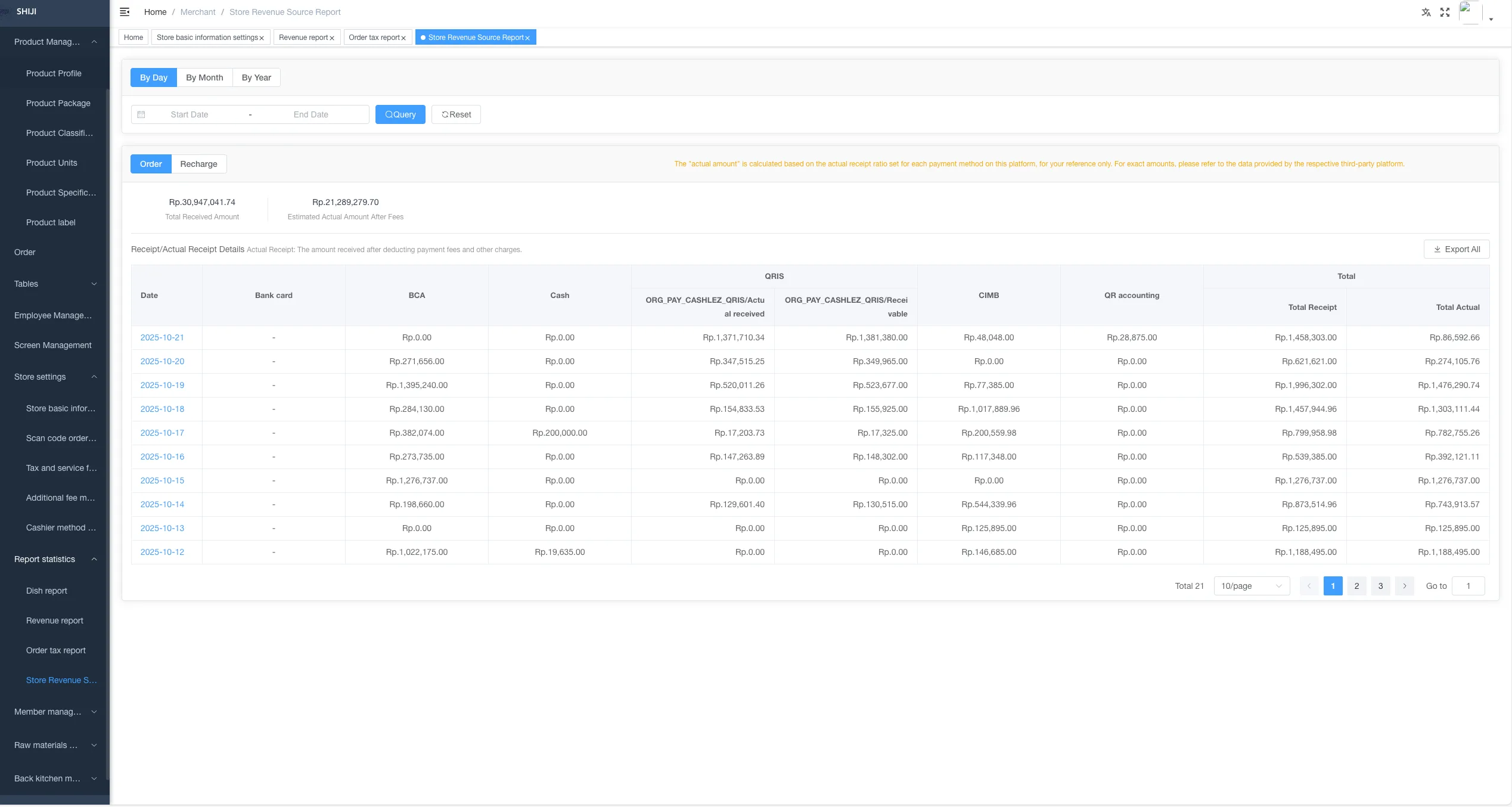
Visualization of collection data: The store management platform has added a "Payment Method Report", which allows for intuitive viewing of transaction data for various payment methods.
Order and KDS Function Optimization
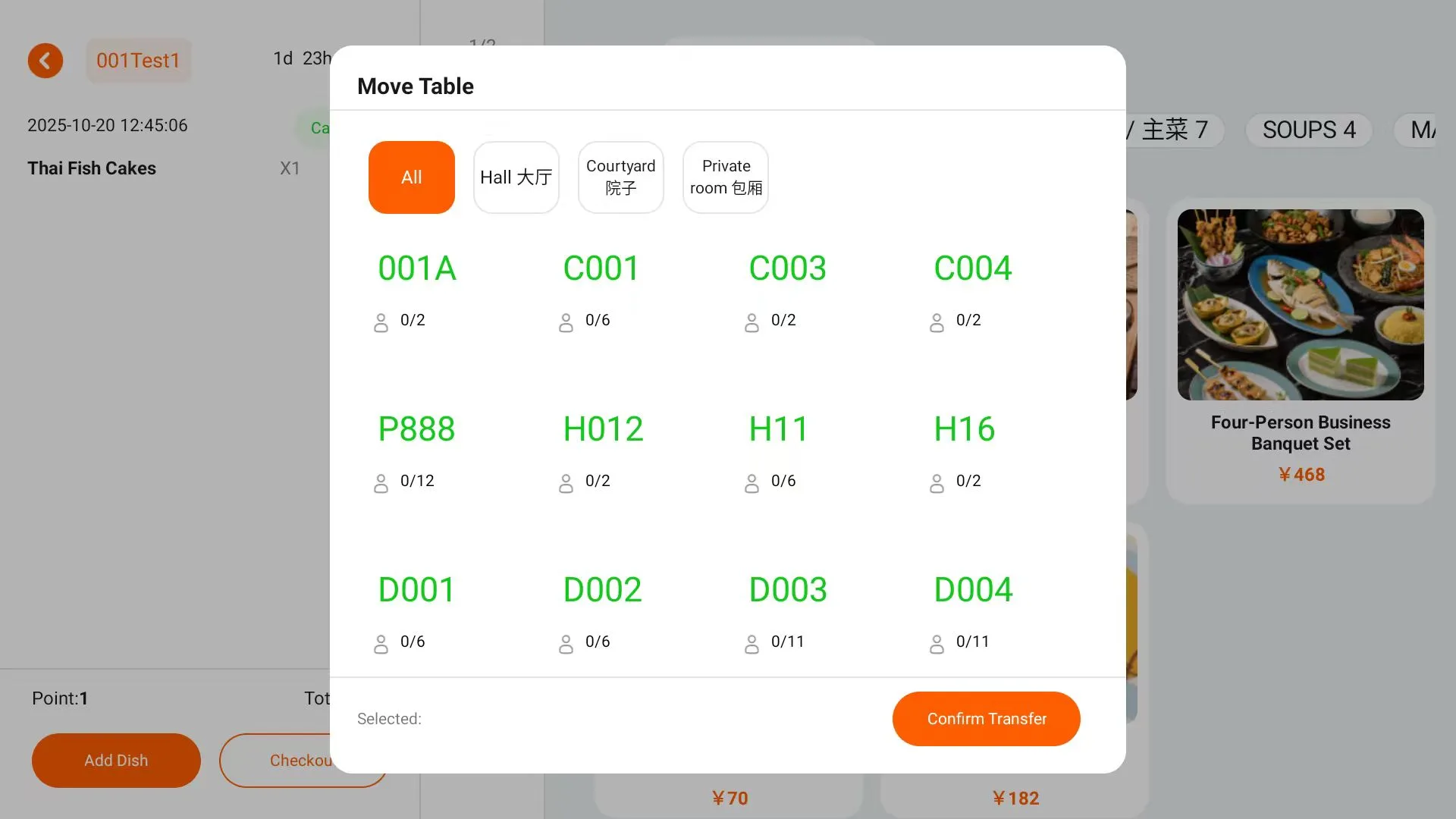
- Order Table Transfer Function: Flexible adjustment of order table numbers: Supports order table transfer operations. After the table transfer, the KDS system will update the new table number in real time to avoid errors and omissions in meal delivery.
- Customize KDS timeout reminder: You can freely set the order timeout reminder threshold according to the food preparation rhythm of the store, adapting to the operational rhythms of different stores.
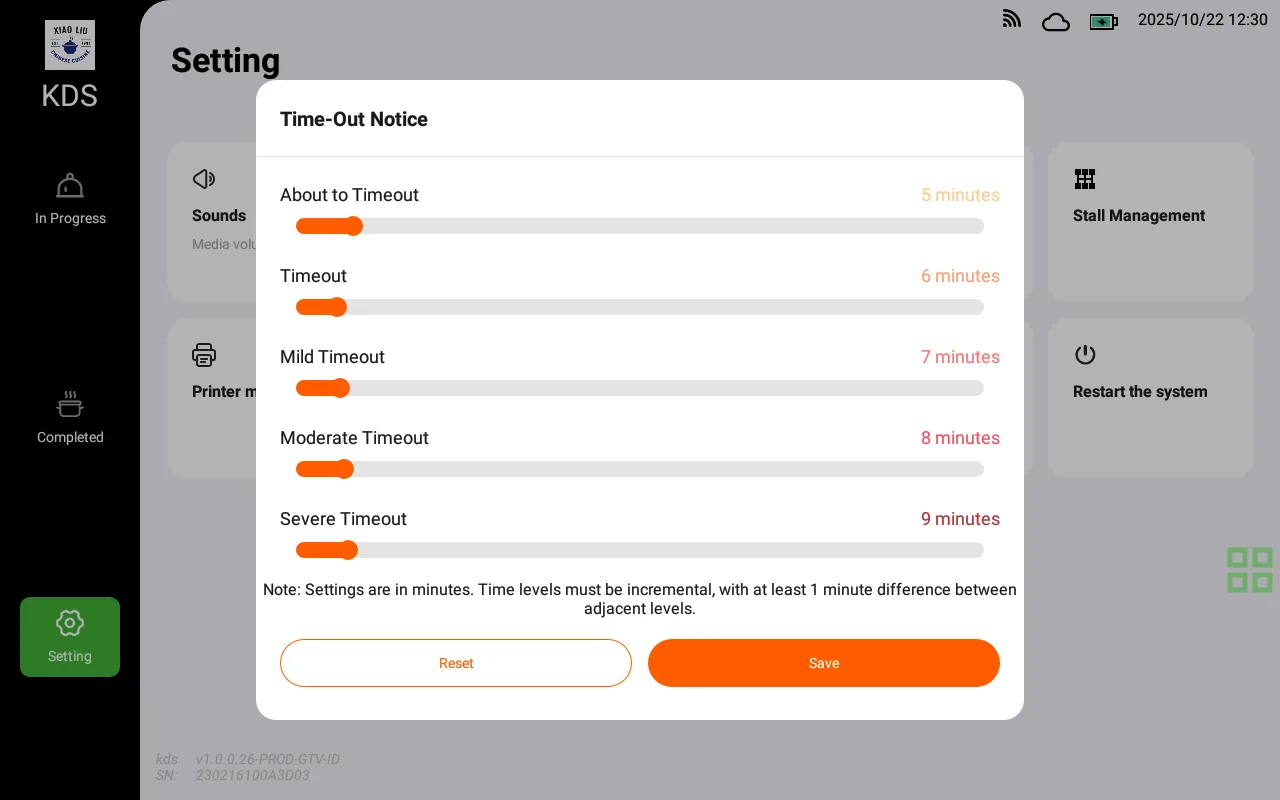
POS Terminal Experience Optimization
- Table Number Display Self-Adaptation: When the table number characters are too long, the system automatically scales the font to ensure full readability.
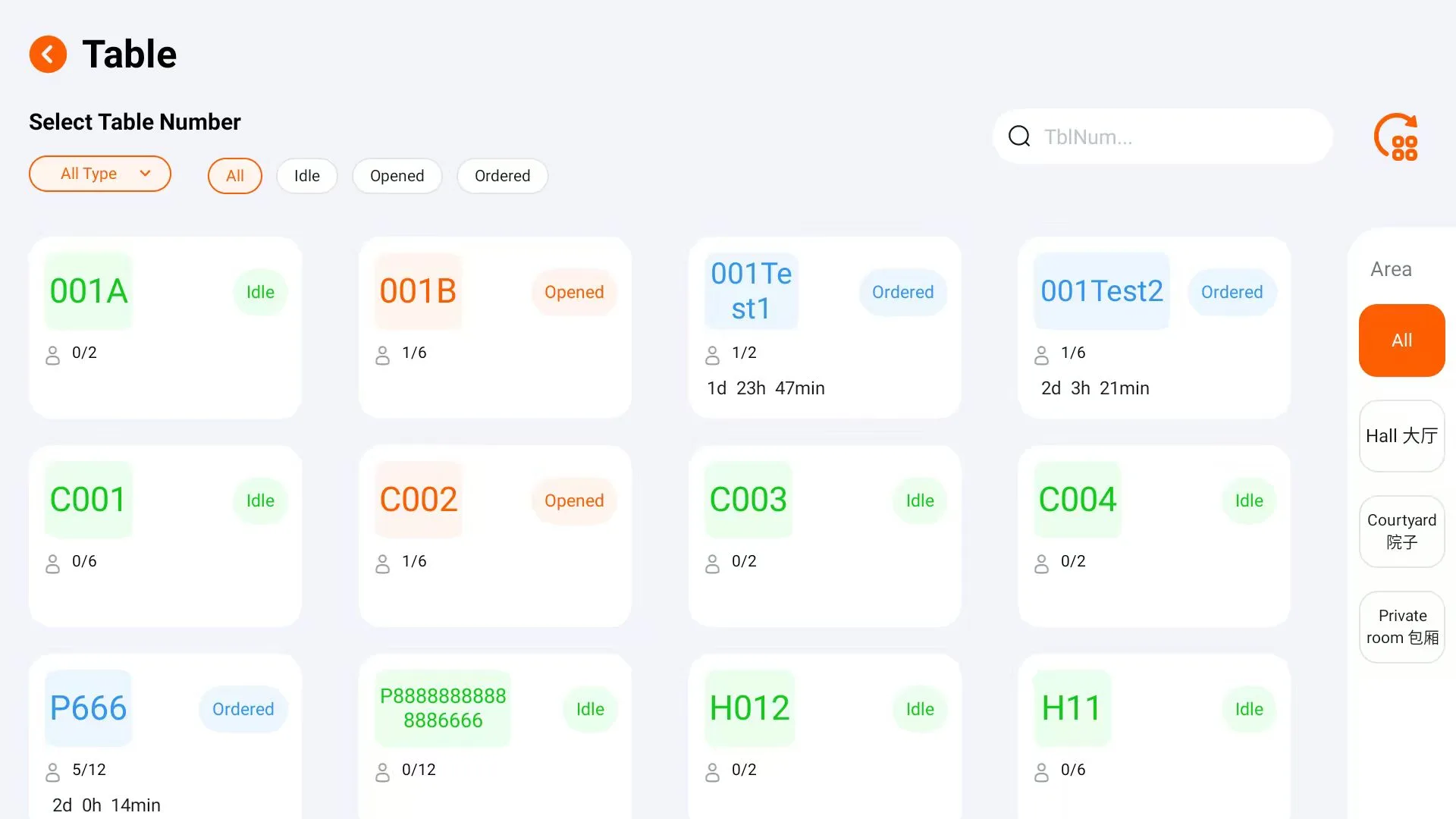
- Receipt printing supports LOGO: The new LOGO printing function has been added to guest bills and settlement statements to unify the brand image.
⚙️ Other system updates
Performance and System Optimization
- Push Module Upgrade: Optimize the message push mechanism, improve push speed and success rate, and reduce latency.
- System-wide Performance Optimization: Improve the response speed of the backend and frontend, significantly reducing laggy operations.
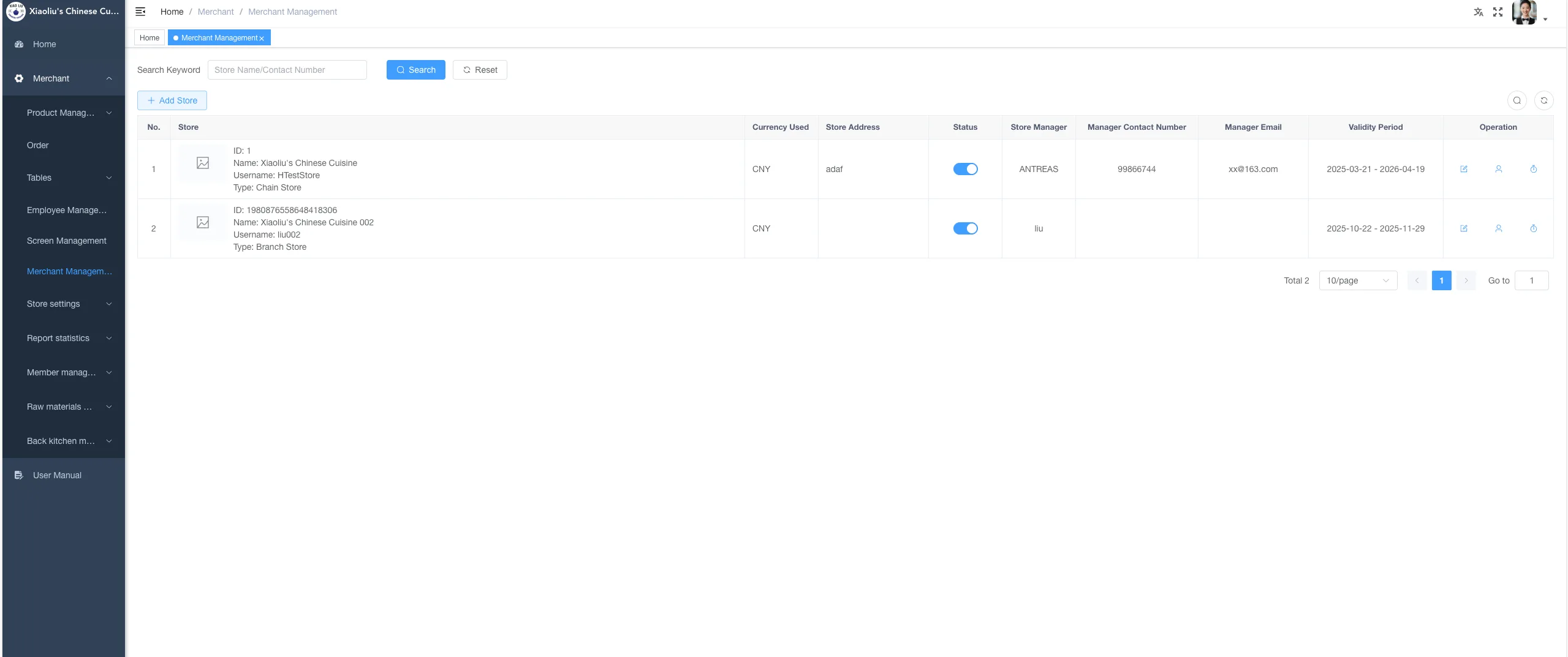
The basic version of the chain function is launched
- Lite Chain Edition Function Activation: When creating a store on the partner platform, you can choose either "Single Store" or "Chain Type"; After selecting the chain type, the head store account can directly create and manage branch stores, enabling unified configuration at headquarters and independent operation of branch stores.